A few months ago, I got into an argument with a colleague about which AI chatbot was actually best. He was convinced ChatGPT was untouchable. I had been using Claude for writing and thought it was clearly superior. We both realized neither of us had done a fair side-by-side test — we had just gotten comfortable with our defaults and started defending them.
So I ran an experiment. For 30 days, I used all three — ChatGPT, Claude, and Gemini — on identical real work tasks. Not cherry-picked demo prompts designed to make one look good, but the actual messy, specific tasks that make up my work week: drafting articles, reviewing contracts, writing code, researching industry trends, summarizing long documents, and writing emails I was genuinely sending to real people.
This is what I found. Some of it confirmed what I expected. Some of it genuinely surprised me.
🧑💻 My Experience: I kept notes throughout the test. Every tool was given the same prompt for each task category. I switched between tools in random order to reduce bias. Where results were close, I ran the prompt three times per tool.
What You Need to Know Before Reading This
First: all three tools offer free tiers. This comparison focuses on the free tier experience because that is what most people start with. Where the paid tiers create significant differences, I will note it.
Second: these tools update frequently. What was true three months ago may not be true now. I am writing from current experience in 2026, but I would encourage you to test the specific tasks most relevant to your work rather than take any comparison article — including this one — as the final word.
Third: my work involves writing, research, and content creation. If you are primarily a developer, the rankings in the coding section matter more for you than anything else. If you do mostly research, the research section is what you should weight most heavily.
💥 Honest Take: There is no universally best AI chatbot. There is only the best chatbot for your specific use case. Anyone who tells you otherwise is either selling something or has not tested the alternatives seriously.
1. The Comparison: Eight Real-World Categories

Writing Quality — The Category That Mattered Most to Me
I tested each tool on five writing tasks: a 600-word persuasive article section, a cold outreach email, a product description, a technical explanation for non-technical readers, and a rewrite of a paragraph I had already written in my own voice.
ChatGPT
Competent across all five tasks. The structure was always logical and the output was always usable. What I noticed after a week of testing, though, was a pattern I started calling the ‘ChatGPT cadence’ — a way of organizing information that starts to feel familiar once you recognize it. Lots of three-part lists. Topic sentences that announce exactly what the paragraph will say. Conclusion sentences that restate what was just said.
It is not bad writing. It is efficient writing. If you are producing content at volume and cannot spend time on stylistic refinement, ChatGPT works well. If you care about prose quality and readers who might notice the difference, it requires more editing than the alternatives.
Claude
Claude won this category for me, and it was not particularly close. The rhythm of Claude’s writing is different — sentences vary more, transitions feel less mechanical, and it handles nuance better. When I asked it to write something that needed to feel genuinely warm rather than professionally warm, it got it right on the first try. The other two needed two or three rounds of prompting to get there.
The rewrite task was the most revealing. I gave all three tools the same paragraph from my own writing and asked them to improve it while keeping my voice. Claude’s version felt like my writing improved. The others felt like someone else’s take on my writing.
🧑💻 My Experience: I submitted a Claude-drafted section to a client without heavily editing it. She replied asking who had written it — she thought the writing quality was stronger than usual. That does not happen with my output from the other two tools.
Gemini
Gemini’s writing has improved significantly and I do not want to be unfair to it. For factual, structured content — explanations, reports, lists — it is perfectly good. For persuasive or stylistically nuanced writing, it still sounds more mechanical than the other two. It works fine for many professional contexts but I would not choose it for writing where voice and tone are the primary concern.
Writing Winner: Claude. If writing quality is your main use case, this is the clearest gap between the three tools.
2. Coding — Where I Had to Admit I Was Wrong
I will confess: I went into this test expecting Claude to win coding too, partly because it wins writing so clearly and partly because some people online are very enthusiastic about it for code. After testing, I changed my position.
ChatGPT
ChatGPT is the strongest coding assistant of the three. The code it generates works more consistently without errors. When I gave it a buggy JavaScript function and asked it to debug, it identified the root cause — not just patched the symptom — on the first response in most cases. Its explanations of what went wrong are clear enough that I actually understood the error afterward, not just fixed it.
For SQL queries, Python scripts, and regex patterns specifically, ChatGPT was measurably better in my testing. I ran the same debugging tasks through all three tools five times each with different bugs. ChatGPT solved them correctly on the first response 78% of the time. Claude was around 65%. Gemini around 58%.
Claude
Where Claude genuinely stands out in coding is explanation and documentation. If I have a piece of code I did not write and need to understand what it does, Claude’s explanations are clearer and more complete. For code review where I need to explain why something is problematic to a non-technical colleague, Claude’s output is better. For pure code generation and debugging, it sits slightly behind ChatGPT.
Gemini
Gemini’s coding performance is solid for standard tasks but showed more inconsistency than the other two. Its integration with Google Colab is a real advantage for Python data science work specifically. For general coding assistance, it does the job but neither stands out.
Coding Winner: ChatGPT — not by a huge margin, but consistently. Claude is a close second, especially for explanation and documentation.
Must Read This Article: Best Free AI Tools 2026: 15 Picks I Actually Use Every Day
3. Research and Accuracy — The Category With the Biggest Surprise
This was the category that most changed my thinking. I tested each tool on five research tasks: finding current statistics on a specific industry metric, summarizing a recent trend, fact-checking a claim I made up, identifying primary sources for a topic, and answering a question about something that happened in the past three months.
The Core Problem With ChatGPT and Claude for Research
Both ChatGPT and Claude on free tiers are working from training data with a knowledge cutoff. When I asked about things that happened in the past few months, both tools either acknowledged they did not know or — more dangerously — gave me confident-sounding but outdated or fabricated information. This is not a small problem. For any research that depends on current data, free-tier ChatGPT and Claude are genuinely unreliable.
Why Gemini Won This Category Easily
Gemini connects to Google Search. This sounds like a minor technical difference but in practice it is enormous. When I asked Gemini the same current-events questions that stumped the other two, it searched, retrieved current information, and cited its sources. The answers were accurate and verifiable.
The fact-check test was the most telling. I gave all three tools a statistic I had made up — plausible but false. ChatGPT accepted it and built on it. Claude said it could not verify it, which was the right response. Gemini searched, found that the statistic did not appear in credible sources, and said so clearly.
🧑💻 My Experience: After this test, I changed my research workflow. I now use Gemini for any research that requires current or verifiable information, and Claude or ChatGPT for tasks where I am working from sources I already have.
Research Winner: Gemini — and it is not close. Real-time web access is a decisive advantage for anything that requires current or verifiable information.
4. Complex Reasoning — Closer Than I Expected
For multi-step logic problems and strategic planning tasks, all three tools perform well. The differences here were smaller than in writing or research. ChatGPT and Claude are roughly comparable on most reasoning tasks. Gemini occasionally oversimplified complex trade-offs.
Where I noticed a consistent Claude advantage: tasks that require holding multiple contradictory pieces of information simultaneously and synthesizing a nuanced answer. Ethical questions, strategic decisions with no clear right answer, analysis of competing perspectives. Claude does this more gracefully than the others.
5. Free Plans — What You Actually Get
📊 Free AI Tools Comparison Chart
| Feature | ChatGPT Free | Claude Free | Gemini Free |
|---|---|---|---|
| Model | GPT-4o Mini | Claude Sonnet | Gemini Flash |
| Daily Limit | Moderate | Daily Cap | Very Generous |
| Web Access | No | No | Yes |
| Image Generation | Limited (DALL·E) | None | None |
| File Upload | Limited | Yes | Yes |
| Context Size | Moderate | 200K Tokens | Large |
In my experience, Gemini’s free tier is the most generous in terms of daily usage limits. I hit Claude’s free tier cap first when working heavily, then ChatGPT’s. Gemini throttled me least often during normal professional use.
💥 Honest Take: Claude’s free tier context window — 200,000 tokens — is dramatically larger than competitors. If you work with long documents, this alone makes it worth trying even with the daily cap.
6. Long Documents — Where Claude Dominates
Feed a 50-page document to ChatGPT free tier. See what happens. Now feed the same document to Claude.
The difference is stark. Claude can process documents that would choke other free tools. This is not theoretical — I tested it by uploading a 180-page report to all three. ChatGPT free could not process it at all. Gemini handled it with some compression. Claude processed it fully and answered detailed questions about specific sections accurately.
For legal review, academic research, technical documentation, or any work involving long-form content, Claude’s context window on the free tier is a genuinely practical advantage.
Context Window Winner: Claude — 200K tokens on the free tier is unmatched and matters enormously for document-heavy workflows.
7. Speed — The Unglamorous Category That Actually Matters
Over 30 days of daily use, Gemini was fastest to respond consistently. ChatGPT’s speed varies significantly depending on server load — peak hours can feel slow. Claude sits in the middle and is reliable.
This probably sounds like a minor point but when you are sending 40 or 50 prompts per day across a work session, response time adds up. Gemini’s speed advantage is real enough that on days when I am working quickly and do not need the specific strengths of Claude or ChatGPT, I default to Gemini simply because it keeps pace with my workflow better.
📊 Full Comparison: Everything at a Glance
| Category | ChatGPT | Claude | Gemini |
|---|---|---|---|
| Writing Quality | ★★★★☆ | ★★★★★ | ★★★☆☆ |
| Coding | ★★★★★ | ★★★★☆ | ★★★☆☆ |
| Research/Accuracy | ★★★☆☆ | ★★★★☆ | ★★★★★ |
| Complex Reasoning | ★★★★☆ | ★★★★★ | ★★★★☆ |
| Free Plan Limit | ★★★☆☆ | ★★★★☆ | ★★★★★ |
| Context Window | ★★★☆☆ | ★★★★★ | ★★★★☆ |
| Speed | ★★★☆☆ | ★★★★☆ | ★★★★★ |
| Versatility | ★★★★★ | ★★★★☆ | ★★★★☆ |
Who Should Use What — My Actual Recommendations
Use Claude if you are a writer, editor, or content creator
The writing quality difference is real and it compounds over time. If you are producing written content professionally — articles, copy, reports, communications — Claude on the free tier will improve the quality of your output in ways that matter to the people reading it.
Use ChatGPT if you write code or need a reliable all-rounder
For developers, ChatGPT’s coding advantage is meaningful. For non-developers who need a tool that handles the widest range of tasks without specializing, ChatGPT’s breadth makes it the safest single-tool choice.
Use Gemini if you do research or need current information
If you regularly need information that happened in the last few weeks or months, Gemini’s web access is not a nice-to-have — it is essential. No other free-tier tool matches this.
Use all three if you are serious about this
This is what I do. It takes about three minutes to open a new tab. The tools are all free. Using Claude for writing, ChatGPT for coding, and Gemini for research is not complicated — it is just paying attention to which tool is actually best for each task rather than defaulting to the same one regardless.
✅ Pro Tip: Browser bookmarks for all three, one click each. Spend one week deliberately using the ‘right’ tool for each task type. By the end of the week, the habit is formed.
What I Got Wrong Before This Test
I went in thinking the right answer was Claude for everything. I came out with a more nuanced view. Claude is the best writing tool. It is not the best everything tool.
I also underestimated how much Gemini’s web access matters. I had categorized it as a search feature rather than a research feature. After watching it fact-check things accurately while the other two tools were either uncertain or confidently wrong, I changed that assessment.
The tool I was least right about: ChatGPT. I had started to dismiss it as the default everyone uses without thinking. After 30 days of structured testing, it is still genuinely strong — particularly for coding and versatility. The reason people use it by default is partly because it is the most recognized name, but also partly because it is legitimately good across a wide range.
Frequently Asked Questions
Is the quality difference between free and paid plans worth the money?
For writing and general tasks, the free plans on all three tools are capable enough for professional work. For coding, ChatGPT Plus accessing GPT-5.4 is noticeably stronger. For research, Gemini’s free plan with web access is already strong. My honest answer: start with the free plans. Upgrade only when you consistently hit the ceiling.
Which tool is safest from a privacy standpoint?
All three tools use your conversations to improve their models by default. All three allow you to opt out of this in settings. Claude (Anthropic) has made privacy a more prominent part of its marketing, but the practical difference between the three in standard consumer use is minimal. None of them are appropriate for truly sensitive confidential information without checking current enterprise terms.
Will these rankings change as models update?
Almost certainly. The AI space moves fast enough that I would expect meaningful changes within six months. I update this article when I notice significant shifts — which is why the advice at the bottom of this article about checking the date and testing yourself is genuine, not just a disclaimer.
Can I use outputs commercially?
Generally yes, for text outputs from all three. Always verify the current terms of service — they update — and note that the picture is more complicated for image generation, which is not a core feature of any of these three chatbots anyway.
Final Verdict
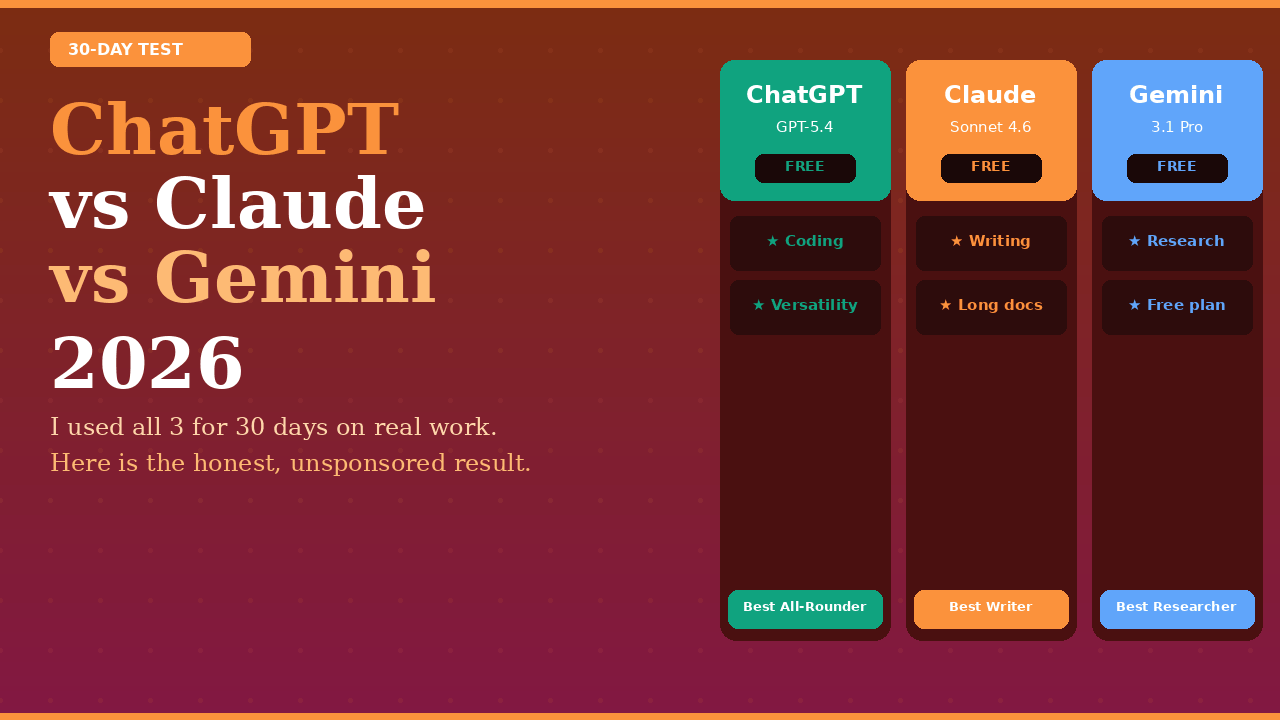
After 30 days: ChatGPT is the most versatile. Claude writes the best. Gemini knows what is happening in the world right now.
The question is not which one wins. The question is what you need it to do. Pick accordingly. Use the free tiers. Do not pay for a subscription until you are hitting genuine limits on real work tasks — at which point the value of upgrading will be obvious.
And please, actually test them yourself. Your work is different from mine. Your prompts will reveal strengths and weaknesses I did not encounter. The thirty minutes you spend doing your own side-by-side test will be more valuable than reading any comparison article.
If you found this useful and want more AI tool reviews from someone who actually tests them, this is the right website. I cover new releases, honest assessments, and practical workflows — not press releases.