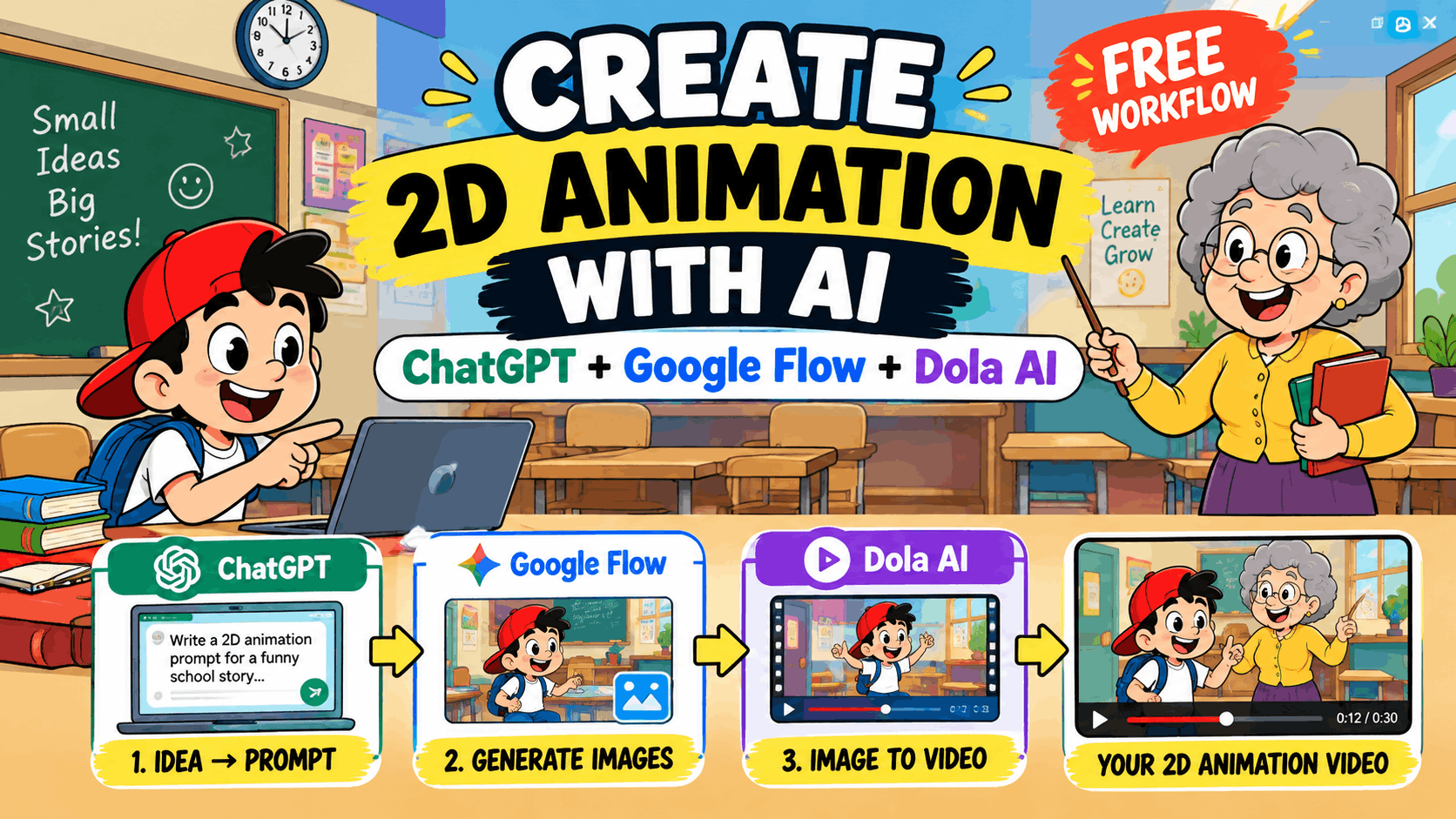
A few years ago, making a 2D cartoon was hard. You needed pricey software, a drawing tablet, and weeks of work. Today, that has changed. You can turn a funny idea into a short animated video in one afternoon, and you don’t need to spend a single dollar.
In this guide, I will show you a simple three-tool workflow:
- ChatGPT to write the story and the prompts
- Google Flow to create the images
- Dola AI to turn those images into video
You don’t need any drawing skills. If you can type a sentence, you can follow along. I have also included a full master prompt that you can copy and use for your own cartoon series.
What You Need Before You Start
- A free ChatGPT account
- A Google account for Google Flow
- A Dola AI account
- A free video editor like CapCut
Quick note: Free credits and daily limits on AI tools change often. Check each tool’s pricing page before you start, so you know how many images and clips you can make.
Step 1: Write Your Story with ChatGPT
Every good animation starts with a good story. If you plan to post on YouTube Shorts, Instagram Reels, or TikTok, keep it between 15 and 40 seconds. Short videos are easier to make and easier to finish.
Open ChatGPT and try a prompt like this:
“Write a funny 30-second script for a 2D cartoon short. The main character is a young school boy with a red cap. Break the story into 6 short scenes. For each scene, give me a simple description, the character’s action, and one line of dialogue.”
Now you have six scenes. Each scene will become one image and one short video clip. This keeps the whole project simple and easy to manage.
Tip: Comedy works best when the ending has a small surprise. Ask ChatGPT to “add a funny twist in the last scene.”
Step 2: Use a Master Prompt for Consistent Characters
Here is the biggest problem with AI cartoons: your character can look different in every image. One scene the boy has a red cap, the next scene he has a blue one.
The fix is a master prompt. This is one long prompt that describes your art style, your characters, and your locations in detail. You paste it before every scene, so the AI always follows the same rules.
Below is the master prompt I use. Copy it and paste it into Google Flow at the start of every image prompt. You can also change the characters and locations to match your own story.
Create a professional 2D cartoon animation scene designed like a high-quality funny educational YouTube cartoon episode.
The final output must look like an original animated TV cartoon frame with a complete cartoon universe, consistent characters, colorful environments, comedy expressions, and smooth traditional 2D animation quality.
The style should feel like a professional children's educational comedy animation series.

OVERALL VISUAL STYLE
Create artwork using:
Clean hand-drawn 2D cartoon animation style
Thick bold black outlines around characters and objects
Flat cartoon color filling
Simple vector-like shapes
Bright but balanced cartoon colors
Minimal soft cartoon shading
Smooth rounded shapes
Clean animation production quality
Funny exaggerated cartoon expressions
Child-friendly comedy style
The image should look like:
A frame from a professional YouTube cartoon episode
A TV animation screenshot
A funny educational cartoon scene
Do not create realistic artwork.

CHARACTER DESIGN STYLE
All characters must follow this exact cartoon design language.
Face Design:
Characters should have:
Large round expressive cartoon eyes
Thick black eye outlines
Big emotional eyebrows
Rounded cartoon faces
Simple cartoon noses
Oversized funny mouths
Exaggerated facial expressions
Clear emotions visible from a distance
Expressions should include:
Extreme surprise
Funny anger
Happiness
Fear
Confusion
Excitement
Shock
Comedy reactions

BODY DESIGN STYLE
Characters should have:
Rounded cartoon body shapes
Slightly oversized heads
Small cartoon hands
Small cartoon feet
Simple cartoon anatomy
Exaggerated body language
Funny poses
Smooth cartoon silhouettes
Avoid realistic human proportions.
Characters should look playful and animated.

CHARACTER 1 — YOUNG SCHOOL BOY DESIGN
Create a recurring young cartoon boy character.
Appearance:
Young school-age cartoon boy
Round face
Large expressive eyes
Black spiky cartoon hair
Bright red baseball cap
White short-sleeve T-shirt
Blue cartoon pants
Red cartoon shoes
Body:
Small cartoon body
Big head compared to body
Small hands and feet
Funny expressive posture
Personality:
The boy should appear:
Curious
Funny
Innocent
Sometimes scared
Sometimes mischievous
Highly expressive
Common Expressions:
Big shocked eyes
Open mouth surprise
Funny smile
Confused face
Excited reaction

CHARACTER 2 — OLD FEMALE TEACHER DESIGN
Create a recurring funny cartoon teacher.
Appearance:
Elderly female cartoon teacher
Large round face
Big expressive cartoon eyes
Grey curly cartoon hair
Thick cartoon eyebrows
Yellow shirt
Purple skirt
Simple cartoon shoes
Body:
Rounded cartoon body
Small cartoon hands
Exaggerated arm movements
Personality:
Teacher should look:
Strict but funny
Dramatic
Energetic
Expressive while teaching
Common Expressions:
Funny angry face
Shocked expression
Serious teaching face
Confused reaction

CHARACTER 3 — DISCORD MODERATOR CHARACTER DESIGN
Create a funny cartoon computer moderator character.
Appearance:
Overweight cartoon body
Very large round face
Big expressive eyes
Thick eyebrows
Funny angry expression
Blue cap
Blue hoodie
Body:
Large rounded cartoon body
Sitting position
Small cartoon hands
Exaggerated reactions
Environment Interaction:
Character sits on:
Large gaming chair
Behind computer desk
In front of computer setup
Personality:
Character appears:
Dramatic
Easily annoyed
Funny angry
Computer obsessed

ENVIRONMENT DESIGN
Create detailed but simple cartoon locations.
Background must support storytelling.

DISCORD MOD ROOM ENVIRONMENT
Include:
Purple gaming room
Computer desk
Gaming chair
Multiple monitors
Keyboard and mouse
Computer cables
Wall posters
Funny decorations
Small trash items
Cartoon mess details
Gaming objects
Add wall sign:
"DISCORD MOD ROOM"
The room should feel funny, messy, and cartoonish.

SCHOOL CLASSROOM ENVIRONMENT
Include:
Student desks
Teacher desk
Blackboard
Bookshelves
Wall clock
School posters
Backpacks
Books
Windows
Classroom decorations
The classroom should look colorful and educational.

BEDROOM ENVIRONMENT
Include:
Wooden bed
Red blanket
Pillow
Wall paintings
Night atmosphere
Simple room decorations
Keep it cartoon style.

SCHOOL CORRIDOR ENVIRONMENT
Include:
Blue lockers
Clean floor
Classroom doors
School posters
Simple decorations

CAMERA SETTINGS
IMAGE:
Format:
Vertical 9:16
Composition:
Character centered
Full body or medium shot
Face clearly visible
Balanced background
Cartoon episode framing
Camera angle:
Eye-level cartoon camera
Storytelling composition

VIDEO:
Duration:
5–10 seconds
Camera movement:
Slow zoom-in
Slow zoom-out
Simple cartoon camera movement
Smooth transitions
Do not use cinematic realistic camera movement.

2D ANIMATION MOVEMENT STYLE
Characters must move like traditional cartoons.
Include:
Facial Animation:
Eye blinking
Eyebrow movement
Mouth talking animation
Facial expression changes
Body Animation:
Hand gestures
Head movement
Walking cycles
Funny reactions
Exaggerated poses
Cartoon Effects:
Objects bouncing
Chair movement
Hair movement
Cartoon impact effects
Funny timing pauses
Movement should be:
Smooth
Simple
Exaggerated
Cartoon-like
Never realistic.

COLOR STYLE
Use:
Bright cartoon colors
Clean color separation
Warm educational feeling
Simple shadows
Flat cartoon lighting
Preferred feeling:
Fun
Friendly
Funny
Educational

FINAL QUALITY LOOK
The final output must look like:
A professional animated YouTube cartoon series produced for children and family audiences.
Quality requirements:
High-resolution cartoon artwork
Clean sharp outlines
Professional animation frame quality
Consistent character design
Smooth cartoon appearance
Production-ready visual style

STRICT NEGATIVE PROMPT
Do NOT create:
Real humans
Photorealistic faces
Real skin texture
3D characters
Pixar style
Disney style
Anime style
Real photography
Cinematic movie look
Realistic lighting
Real shadows
Complex textures
Ultra detailed realism
Different art styles
Different character designs
Different clothes
Different faces
Random extra characters
Inconsistent body proportions

FINAL MASTER STYLE DESCRIPTION
Create a complete original funny educational 2D cartoon universe with expressive characters, thick black outlines, colorful environments, exaggerated emotions, simple hand-drawn shapes, and professional YouTube animation quality. Every image and video scene should feel like it belongs to the same animated cartoon series, with identical character design language, consistent colors, and comedy-focused storytelling.

SCENE INPUT FORMAT
After this master prompt, add:
Scene Location:
 (Example: Classroom / Bedroom / Discord Room)
Characters Present:
 (Example: Boy + Teacher)
Action:
 (What is happening)
Emotion:
 (Character reaction)
Camera Shot:
 (Full body / Medium shot / Close-up)
Video Duration:
 (Seconds)
How to Use the Master Prompt
After you paste the master prompt, add your scene details at the bottom. Here is an example:
Scene Location: Classroom
Characters Present: Boy + Teacher
Action: The boy secretly eats a sandwich behind his book while the teacher writes on the blackboard
Emotion: Boy is nervous and sneaky, teacher is about to turn around
Camera Shot: Medium shot
Video Duration: 5 seconds
For every new scene, keep the master prompt the same and only change these six lines. This is how your characters, colors, and style stay the same from the first scene to the last.
Tips for using the master prompt:
- Save it in a note. You will paste it many times, so keep it in a notes app or a document.
- Make it your own. Change the hair color, clothes, or locations to create your own characters.
- Use the right part for the right tool. The image sections work best in Google Flow. The video and movement sections are helpful when you write your motion prompt in Dola AI.
- Check the length limit. If a tool says your prompt is too long, remove the locations you are not using in that scene.
Step 3: Make Your Images in Google Flow
Now it’s time to bring your scenes to life.
- Open Google Flow and start a new project.
- Paste the master prompt, add your scene details, and generate an image.
- Check if the character matches your design. If not, adjust the prompt and try again.
- Generate two or three options for each scene and pick the best one.
- Save every image with a clear name, like scene1, scene2, scene3.
Don’t rush this step. A clean, sharp image gives you a much better video later. If the first image is not great, that is normal. Small changes in your prompt can make a big difference.
Click Here: How to Create Viral AI Pet Videos Using ChatGPT and Google Flow
Step 4: Turn Your Images into Video with Dola AI
This is the fun part. You will now make your still images move.
- Open Dola AI and choose the option to create a video from an image.
- Upload your scene 1 image.
- Write a short motion prompt, for example:
“The boy slowly lowers the book, eyes wide with fear. The teacher turns around with an angry face. Smooth 2D cartoon movement, slow zoom-in.”
- Generate the clip. Most clips are only a few seconds long.
- Repeat for every scene.
What works best:
- Keep the motion prompt short and clear
- Describe only one action per clip
- Avoid big camera moves, since they can distort your character
- If a clip looks strange, generate it again. Even experienced creators do this all the time
Step 5: Edit Your Video Together
Now put everything together in a free editor like CapCut.
- Place your clips in the right order
- Trim any weak or awkward moments
- Add background music (use royalty-free music only)
- Add sound effects like a “boing,” a gasp, or footsteps. Sound effects are what make cartoon comedy work
- Add subtitles, because many people watch Shorts with the sound off
- Export in 9:16 for vertical platforms
Click Here: Create Long, Professional AI Videos in Minutes
5 Tips to Make Your Animation Look More Professional
- Stay consistent. Use the same colors, outlines, and style in every scene.
- Hook people fast. Show something funny or surprising in the first two seconds.
- Keep it short. A tight 20-second video beats a slow 60-second one.
- Focus on sound. Good audio can make an average animation feel polished.
- Add your own voice. AI helps you build, but your humor, your ideas, and your story are what make a video special.
Common Mistakes to Avoid
- Writing very long scene prompts with too many actions
- Changing the master prompt between scenes
- Putting too many characters in one scene
- Using copyrighted music
- Posting without watching the full video first
Frequently Asked Questions
Can I really make a 2D animation video for free?
Yes, you can start for free using the free plans of these tools. Just keep in mind that free plans have limits, so plan your project around them.
Do I need drawing skills?
No. You only need to describe your idea in words.
What is a master prompt?
It is a long, reusable prompt that describes your art style, characters, and locations. You paste it before each scene so your cartoon looks the same every time.
How long does it take?
A short 30-second video can take a few hours, mostly for trying different images and clips.
Can I earn money from AI animation videos?
Many creators grow channels with AI-made content. Always check the terms of each tool and the rules of the platform you post on before you try to monetize.
Final Thoughts
You now have a full workflow to make a 2D animation with AI: ChatGPT for the story, a master prompt for consistent characters, Google Flow for the images, and Dola AI for the motion. It’s simple, it’s free to start, and it’s a great way to try animation without any big investment.
Start small. Make one 20-second video, learn from it, and improve with the next one. Before long, you will have your own style and your own cartoon world.