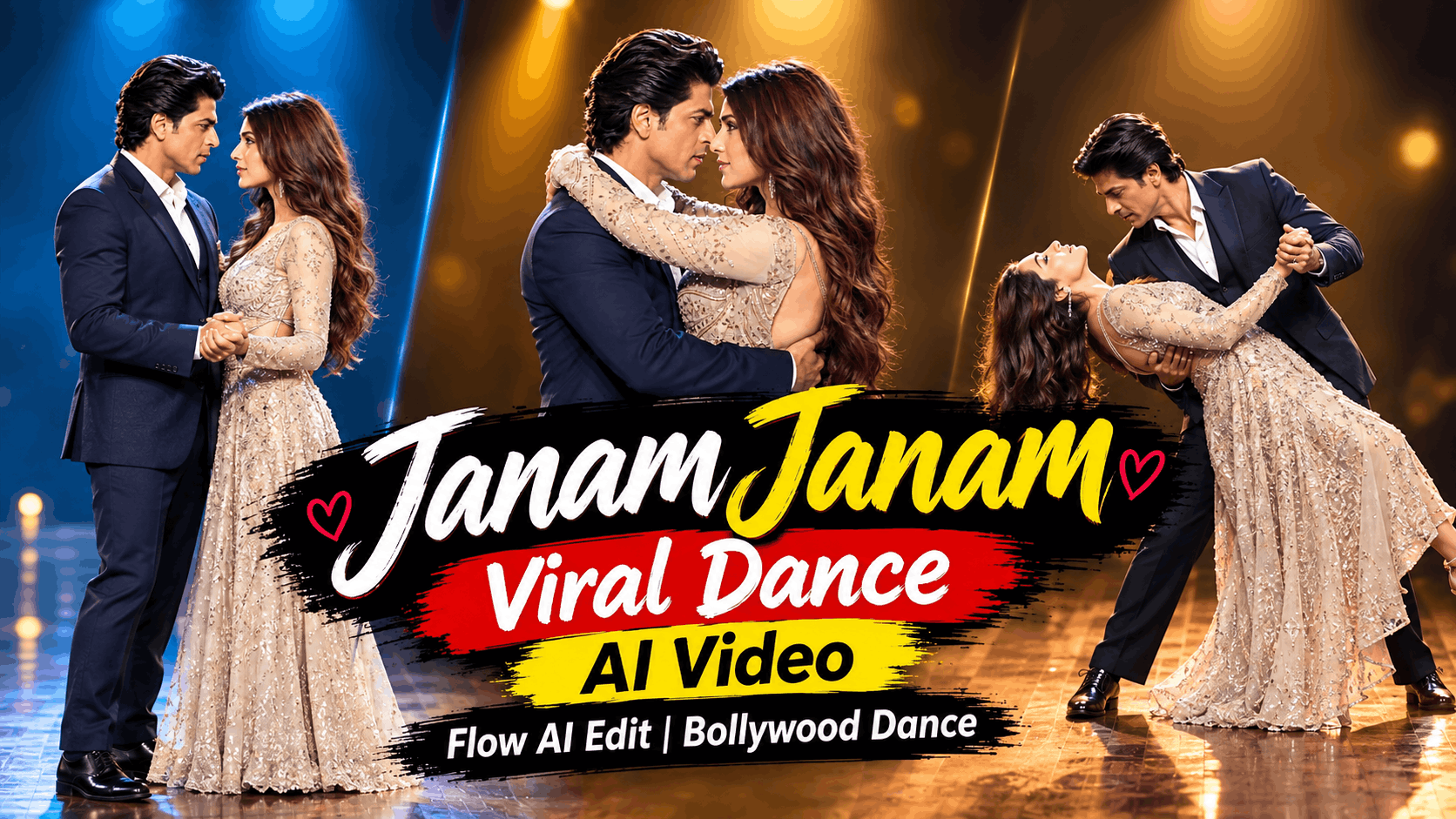
If you’ve been on Instagram in the last few weeks, you’ve almost certainly seen it — a beautifully rendered couple dancing to Janam Janam, the iconic Dilwale romantic ballad, with one or both of the characters replaced by real people’s faces and appearances. The movements are cinematic. The identity swap is seamless. The video looks like it was shot in a film studio, not generated from a photo on someone’s phone. And in the comment section, thousands of people are asking the same thing: “How did they make this?”
The answer is Higgsfield AI — and more specifically, Higgsfield’s powerful character replacement technology that allows you to take any video and seamlessly swap the main character with a person from a reference photo, while preserving every frame of the original video’s camera movement, environment, lighting, timing, and choreography exactly as it was.
This is the “Janam Janam Couple AI Dance Video” format — and it’s one of the most emotionally resonant, most shared, and most technically impressive AI video trends running on Instagram right now. In this complete tutorial, you’ll learn exactly how to create your own version: what Higgsfield AI is, how its character replacement works, the exact prompt to use, step-by-step instructions from reference image to finished video, and everything you need to build a content series around this viral format.
Why “Janam Janam” Couple AI Dance Videos Are Going Viral
Before diving into the technical process, understanding why this specific format generates such extraordinary engagement gives you the creative foundation to produce content that performs — not just content that technically works.
The song itself is a cultural phenomenon. Janam Janam from Dilwale (2015) is not just a song — it is a cultural touchstone for an entire generation of South Asian viewers. The combination of Shah Rukh Khan, Kajol, the Icelandic visuals, and Arijit Singh’s voice created a romantic landmark that has been associated with “the perfect love” for over a decade. When an AI dance video uses this song, it borrows the entire emotional weight of that association instantly.
Seeing yourself (or someone you love) in a cinematic romantic scene is uniquely powerful. The specific appeal of character replacement AI videos is that they collapse the distance between the viewer and the fantasy. When someone sees their own face, their own hairstyle, their own appearance dancing cinematically in a Bollywood-quality romantic scene, the emotional response is immediate and personal. They don’t just watch the video — they are in the video. This personal stakes dramatically increases shares, saves, and comments.
The technical quality of Higgsfield’s output creates a “is this real?” moment. Unlike earlier AI face-swap tools that produced obviously artificial results, Higgsfield’s character replacement maintains the original video’s cinematic quality while seamlessly integrating the new character’s appearance. The result looks like professional filmmaking — which triggers a “wait, is this real?” double-take that drives replays and comments asking how it was made.
The “show this to your partner” sharing dynamic is explosive. Couple content is among the most shared content category on Instagram. When one partner makes a Janam Janam dance video featuring both of them, the natural impulse is to immediately share it — in Stories, in DMs, as a gift, as a gesture. Every share is organic distribution. Every tag is free reach.
The format is infinitely repeatable with new songs. While Janam Janam is currently the dominant song for this format, the underlying technique — character replacement in romantic dance videos — works with any song, any choreography, any aesthetic. Every trending Bollywood song becomes a new opportunity. Every viral romantic moment becomes a new template.
What Is Higgsfield AI?
<cite index=”5-1″>Higgsfield AI operates as an all-in-one AI creative studio, delivering cinematic intelligence from the initial brief to the finished asset within a single workspace. By combining text, visual generation, motion control, and audio tools, the platform allows you to produce cinematic-quality content without breaking your workflow.</cite>
<cite index=”6-1″>Higgsfield AI provides a structural solution that removes technical friction by unifying creative generation, post-production, and optimization inside one intelligent environment. By operating entirely within this ecosystem, users gain the production power of a full creative agency.</cite>
For the Janam Janam dance video format specifically, the critical Higgsfield feature is its character replacement capability — also referred to as “Soul Cast,” “Popcorn,” or “Character Swap” depending on the specific tool variant used. <cite index=”4-1″>Higgsfield provides ‘Character Swap’ and ‘Act Once, Recast Infinitely’ features to directly replace a video’s subject with your consistent AI character for rapid content creation.</cite>
<cite index=”3-1″>When Higgsfield built Popcorn, the goal was simple: to give creators the kind of control that only real directors have on set. Every filmmaker knows that storytelling lives in detail — a shift of light, a single expression, a perfect continuity between shots.</cite>
The result is a character replacement system that doesn’t just swap faces — it replaces the entire visual identity of a character (face, hairstyle, skin tone, body proportions, clothing) while preserving the original video’s camera movement, lighting, environment, timing, and the replaced character’s exact movements, gestures, and expressions frame by frame.
Higgsfield AI Pricing — What You Need to Know
<cite index=”12-1″>Higgsfield has 3 pricing plans starting at $19, $47, and $99 per month. Higgsfield combines camera controls, character consistency, and ad-production tools across Cinema Studio, Soul ID, Speak, and Marketing Studio. Paid plans include commercial use, while the Free plan excludes commercial rights.</cite>
<cite index=”20-1″>Individual plans range from $9 to $375/month with 120 to 9,000 credits/month depending on plan and region. Plans and prices shown on the Pricing page are automatically adjusted for your country.</cite>
<cite index=”8-1″>Sign up at higgsfield.ai. A free tier is available. In-platform tutorials guide you through core features from your first session. Most creators produce their first video within minutes of signing up.</cite>
For the Janam Janam dance video format, a Starter plan ($19/month) is sufficient to begin. For higher volume production — multiple videos per week, higher resolution exports, more parallel generations — the Plus plan ($47/month) offers significantly more credits and flexibility.
What You’ll Need Before You Start
Creating a Janam Janam Couple AI Dance Video requires three things:
- A Higgsfield AI account — Free tier to start, paid plan for commercial use and higher volume
- A source dance video — The original Janam Janam dance clip you want to use as the base (the video whose character you’ll replace)
- A reference image — A clear, high-quality photo of the person whose appearance you want to replace the original character with
The quality of your reference image is the single most important factor in the quality of your output. Let’s discuss this in detail before moving to the prompt.
Choosing the Perfect Reference Image
The reference image tells Higgsfield’s AI exactly what the replacement character should look like. For the best possible result:
Use a front-facing or 3/4-angle photo. Full frontal or slight 3/4 angle gives the AI the most complete picture of the face and features. Extreme profile shots miss important facial detail.
Use a photo with clear lighting on the face. No heavy shadows covering the face, no strong backlighting that silhouettes the subject. Clear, even facial lighting produces the most accurate identity replication.
Use a photo where the clothing is visible. The replacement character will wear the reference image’s clothing (or something similar) in the final video. Choose a photo whose outfit matches the aesthetic of the dance video you’re using.
Use the highest resolution photo available. Higher resolution = more facial detail captured = more accurate and consistent character replacement.
Use a photo with a clean background where possible. The AI needs to isolate the character clearly from the background. Photos with busy or complex backgrounds can cause extraction confusion.
For couple videos, prepare two reference images. If you want to replace both the male and female dancer in a couple dance video, you need separate reference images for each character.
The Complete Step-by-Step Process
Step 1: Set Up Your Higgsfield Account
- Visit higgsfield.ai in your browser
- Create your account — a free tier is available with limited credits
- Complete the onboarding and familiarize yourself with the dashboard
- <cite index=”9-1″>Navigate to Soul Cast from the platform dashboard. Accept the consent acknowledgment — confirm you have permission for all visible faces in uploaded images and acknowledge responsible AI use.</cite> This is a required step before face-related features activate.
Step 2: Prepare Your Source Video
The source video is the Janam Janam dance clip whose main character you’ll be replacing. This should be:
- A high-quality render of the dance sequence (720p minimum, 1080p preferred)
- Clear enough that the original character’s movements and expressions are fully visible
- The exact scene and choreography you want your replacement character to perform
Keep the source video handy — you’ll upload this directly to Higgsfield.
Step 3: Prepare Your Reference Image
Your reference image is the photo of the person whose appearance will replace the original character. Apply the reference image quality guidelines from the previous section. Save it at the highest available resolution.
Step 4: Open the Character Replacement Tool
<cite index=”8-1″>Navigate to Soul Cast from the platform dashboard. Upload a reference image for your character. Define style and creative direction using Soul Moodboard. Generate scenes with that character maintained across content.</cite>
For the character replacement / video recasting workflow specifically:
- From the Higgsfield dashboard, navigate to the character replacement or “Recast” feature
- Upload your source dance video
- Upload your reference image
- Proceed to the prompt input
Step 5: Enter the Character Replacement Prompt
This is the most critical step. The prompt you use determines how faithfully Higgsfield preserves character identity while maintaining the original video’s visual integrity. Here is the complete, production-ready prompt to use:
THE COMPLETE HIGGSFIELD CHARACTER REPLACEMENT PROMPT
Copy this prompt exactly and paste it into Higgsfield’s prompt field when using the character replacement feature:
Replace the main character in the uploaded video with the character
from the uploaded reference image.

Use the reference image strictly as the identity and appearance
reference for the new character. Preserve the character's face,
hairstyle, skin tone, body proportions, clothing, and overall
visual identity as accurately as possible.

Keep the original video exactly the same in terms of camera movement,
framing, composition, background, environment, lighting, shadows,
color grading, timing, pacing, and scene dynamics.

The replacement character must follow the exact movements, body
position, gestures, facial expressions, eye direction, head movement,
and interactions of the original main character throughout the entire
video.

Maintain accurate body anatomy, realistic motion, natural facial
expressions, consistent identity across every frame, and proper
occlusion with objects and other characters.

Do not alter, remove, or regenerate any other character, object,
background element, or visual detail in the video.

Only replace the original main character with the character from
the reference image. Everything else must remain unchanged.
Why Every Line of This Prompt Matters
Understanding what each instruction does helps you troubleshoot results and refine the prompt when needed:
“Use the reference image strictly as the identity and appearance reference” This instruction prevents the AI from interpreting or stylizing the character beyond what the reference shows. It enforces strict identity fidelity — what you see in the photo is what you get in the video.
“Preserve the character’s face, hairstyle, skin tone, body proportions, clothing” This prevents any of these elements from drifting, averaging, or being AI-interpreted. Each specific feature is locked to the reference image.
“Keep the original video exactly the same in terms of camera movement, framing, composition, background” This is the instruction that preserves the cinematic quality of the original. Without this, the AI might alter the environment, change the lighting, or modify the choreography. This line ensures the original video’s production value is fully retained.
“The replacement character must follow the exact movements, body position, gestures, facial expressions” This locks the new character to the original’s choreography with frame-perfect accuracy. The dance movements, the emotional expressions, the eye direction — all of these are inherited from the original, applied to the new character’s face and body.
“Maintain accurate body anatomy, realistic motion, natural facial expressions, consistent identity across every frame” This prevents common AI generation artifacts — distorted hands, flickering facial features, inconsistent appearance between frames. Consistency is specified as a requirement.
“Do not alter, remove, or regenerate any other character, object, background element” This is the most important protective instruction. Without it, the AI might regenerate the background, alter other characters in the scene, or change environmental details. This instruction makes the replacement surgical — only the target character changes.
Step 6: Generate and Evaluate
After entering the prompt and submitting:
- Wait for generation — Higgsfield processes character replacement videos in a matter of minutes, depending on video length and server load
- Preview the result — evaluate the output against these quality criteria:
- Does the replacement character’s face match the reference image accurately?
- Are the original movements and choreography preserved exactly?
- Is the background and environment completely unchanged?
- Are there any flickering, distortion, or consistency issues across frames?
- Does the character’s identity remain stable throughout without drifting?
- Refine if needed — if the first generation doesn’t meet quality standards, adjust the prompt and regenerate. Common refinements:
- If identity drift occurs: add “Maintain strict character identity consistency across every single frame without variation”
- If background changes: add “The background must be completely pixel-identical to the original video in every frame”
- If movements don’t match: add “Replicate the exact choreography and timing of the original character with frame-perfect accuracy”
Step 7: Download and Finalize
Once you have a generation that meets your quality standard:
- Download the final video from Higgsfield
- If needed, add the original audio track back (Higgsfield may or may not preserve the audio depending on the specific tool used)
- The video is ready for posting
Best Practices for Reference Images — A Detailed Guide
The reference image quality is the single factor that most determines your final video quality. Here is a complete guide:
For Solo Character Replacement (One Person)
Ideal photo type: Portrait photo, head and shoulders visible, face fully lit, slight smile or neutral expression (avoid extreme emotions that might override the target choreography’s expressions), clean background.
What to avoid: Heavy filters, strong Instagram beauty edits that alter face shape, extreme angles, poor lighting, motion blur on the face, partial face (sunglasses, hair covering eyes).
Outfit consideration: The reference image’s outfit will influence what the replacement character wears. Choose a photo whose outfit aesthetic matches the dance video — traditional/semi-traditional for a Bollywood romantic dance, formal for a wedding dance video.
For Couple Replacement (Both Characters)
If you want to replace both the male and female dancer:
- Prepare two separate reference images
- Use the character replacement process twice — once for the male dancer, once for the female dancer
- Process the female replacement first, then use that output as the source video for the male replacement
- Alternatively, use Higgsfield’s multi-character replacement feature if available in your plan tier
For Best Identity Accuracy
- Use multiple photos of the same person if the tool supports it — the AI builds a stronger identity model with multiple reference images
- Choose a photo taken in similar lighting conditions to the target dance video (warm/golden for romantic scenes, bright for energetic dance)
- If the person has distinctive features you want preserved (specific hairstyle, jewelry, accessories), ensure those are clearly visible in the reference photo
Video Source Options — Where to Find Quality Janam Janam Dance Bases
The source video quality directly impacts the quality of your final output. Here are the best options for finding high-quality Janam Janam dance video bases:
Official Music Video Scenes: The original Dilwale Janam Janam music video contains multiple cinematically filmed romantic dance sequences in Iceland. Specific scenes from this video can be used as source material. The cinematic quality of Shah Rukh Khan and Kajol’s choreography is exactly the level of production value that makes the character replacement impressive.
Professional Dance Covers: Many professional dance studios and choreographers have created high-quality Janam Janam cover dance videos. These often feature clear, well-lit filming that produces excellent character replacement results. Search YouTube for “Janam Janam dance cover” and look for 1080p+ uploads.
AI-Generated Dance Videos: You can use Flow AI or Higgsfield’s own generation tools to create a high-quality cinematic couple dance video first, then replace characters in that AI-generated base. This gives you maximum control over the visual aesthetic.
Template Videos: As this trend grows, dedicated template banks for character replacement videos are emerging on platforms like Pinterest and dedicated creator communities.
Expanding the Format — Beyond Janam Janam
Once you’ve mastered the Janam Janam character replacement, the same prompt and process works for any romantic or couple dance video. Here are the highest-potential song/scenario expansions:
Bollywood Romantic Dance Videos
- Tum Hi Ho (Aashiqui 2) — slow, deeply emotional, cinematic locations
- Raabta — mystical, atmospheric, past-life romance aesthetic
- Teri Meri Kahaani — multiple timeline romantic story structure
- Gerua (Dilwale) — the other SRK-Kajol Iceland cinematic dance
- Ae Dil Hai Mushkil — modern, urban, emotionally complex
- Kesariya (Brahmastra) — visually spectacular, mystical romantic aesthetic
- Kal Ho Na Ho — bittersweet romance, beautiful choreography
Pakistani Romantic Songs
- Pasoori (Coke Studio) — hugely viral aesthetic, contemporary feel
- Woh Humsafar Tha — deeply emotional, introspective
- Tera Woh Pyaar — romantic ballad with strong couple dance potential
- Mere Rashke Qamar — traditional romantic aesthetic, beautiful visuals
International Romantic Dance Formats
- Couple slow dance in a cinematic setting (any language)
- Wedding first dance format — universally relatable and shareable
- Anniversary dance — specific milestone emotional hook
The Seasonal/Occasion Format
- Valentine’s Day couple dance — peaks in February but performs year-round
- Eid celebration couple dance — massive South Asian audience reach
- Wedding season content — posts with wedding context peak March-June and October-November
Content Series Strategy — Building a Viral Channel Around This Format
The Janam Janam dance video format is powerful as a one-off viral post — but its real potential is as the foundation of a content series that builds a loyal audience around AI couple content.
The “Put Yourself in the Scene” Series Position your channel as the place where you create personalized romantic AI videos — with viewer or follower participation. Post a call: “Send me your photo — I’ll put you in the Janam Janam dance. Comment below.” Produce the best submissions and post with their permission. This creates a community flywheel that generates submissions, engagement, and viral shares simultaneously.
The Weekly Song Series Every week, choose a new romantic song and produce a cinematic couple dance video for it using a consistent fictional character pair. Keep the same couple’s visual identity across all videos — their audience builds attachment to this fictional AI couple.
The “Dream Date” Series Expand beyond dancing — use Higgsfield’s generation capabilities to put AI couple characters in cinematic romantic scenarios: watching a sunset in Santorini, dancing in the rain in Paris, stargazing in the Scottish Highlands. The dance format is the entry point; the cinematic romantic scenario is the series.
The Tutorial Series There is enormous audience hunger for “how did they make this?” content. Create companion tutorial videos showing exactly how each Janam Janam AI dance video was made — building your authority in the AI couple content space and driving creators to follow your channel for the next technique.
Common Mistakes to Avoid
Using a low-quality or poorly lit reference photo. The AI can only work with what it’s given. A blurry, poorly lit, or heavily filtered reference photo produces an inaccurate and inconsistent character replacement. Always use the highest quality, clearest reference image available.
Using a source video with multiple characters in complex interaction. For your first videos, choose source footage where the main character is clearly separated from other characters and the background. Complex multi-character interactions increase the chance of unwanted visual changes to secondary characters.
Not accepting the Soul Cast consent acknowledgment. <cite index=”9-1″>Higgsfield requires users to confirm they have permission for all visible faces in uploaded images and acknowledge responsible AI use before face features activate.</cite> Skip this step and the face replacement features will not work.
Expecting perfection on the first generation. Character replacement is computationally complex. The first generation may have minor inconsistencies — slight facial flickering, occasional identity drift, imperfect occlusion in specific frames. Refine your prompt and regenerate rather than settling for a technically flawed output.
Replacing faces without the subject’s consent. This is an ethical and, in many jurisdictions, a legal issue. Always ensure you have explicit permission from any real person whose face you’re using in an AI-generated video before publishing. Never use public figures’ faces in romantic or intimate scenarios without their consent.
Posting without adding the original audio. The character replacement process may produce a video without the original Janam Janam audio track. Always verify the audio is present before posting — the song is a core part of why the format works emotionally.
Caption and Hashtag Strategy for Maximum Reach
Caption Formula for Janam Janam Dance Videos: The caption should create the emotional context that amplifies the video’s impact:
“Janam janam ka saath hai tumhara… 🥹❤️ [tag your partner]” “When AI makes your love story cinematic ✨ @[partner’s handle]” “This is the love story I’d watch on repeat 💙🎬 Made with AI” “Imagine this but it’s us 🥺❤️ [tag someone]” “Some loves deserve a Bollywood moment 🎶✨ AI dance video 💫”
Hashtags for Maximum Discovery: #JanamJanam #AIVideo #CoupleVideo #BollywoodDance #AICouple #ViralReels #AIArt #CouplesGoals #BollywoodReels #JanamJanamDance #HiggsField #AIGenerated #CoupleGoals #ViralVideo #BollywoodVibes #ReelsViral #InstagramReels #TrendingReels #AICreator #CinematicVideo
Posting Time Strategy: Evening posts (7-10 PM local time) perform best for romantic content — viewers are more emotionally receptive to couple content in the evening. Thursday-Sunday evenings are peak engagement windows for this content type.
Higgsfield AI Soul ID — For Character Consistency Across Videos
If you’re building a series using the same fictional couple across multiple videos, Higgsfield’s Soul ID feature is essential for maintaining visual consistency:
<cite index=”6-1″>Ensure character consistency across multiple scenes by training a Soul ID with reference photos. Once Soul ID is configured, every subsequent generation that references that character will carry the same visual identity.</cite>
<cite index=”10-1″>If your project requires a consistent on-screen character across multiple clips, set up Soul ID before generating a single frame of main content. Upload a reference image, configure the character identity, and confirm the visual output on a test generation.</cite>
For a dance video series, Soul ID gives you:
- The same character face and appearance in every video, across every song and scenario
- No need to re-upload reference images for each new video
- A named, saved character identity that can be applied instantly to new generations
This is the feature that allows top AI couple content channels to maintain a recognizable, consistent “AI couple” that viewers come to follow and recognize — the equivalent of @puff.and.pout’s consistent bird characters, but for romantic dance content.
Responsible Use Guidelines
The character replacement format comes with important responsibilities:
Always get explicit consent before using real people’s images. The Janam Janam dance format is powerful precisely because it places real people in cinematic romantic scenarios. That power requires consent. Before creating or posting any video featuring a real person’s face, confirm you have their explicit permission.
Never use public figures’ faces without their permission. Creating romantic or intimate AI videos of celebrities, politicians, or other public figures without their consent raises serious ethical and legal issues in most jurisdictions. Higgsfield’s own terms of service require users to have permission for all faces used.
Always disclose AI generation. Add “AI-generated video” or “Made with AI” in your caption or video. This is increasingly required by platform policies and is the honest approach to AI content creation.
Be aware of regional deepfake laws. Laws around AI-generated face replacement content are evolving rapidly. In several countries and US states, creating or distributing “deepfake” content featuring real individuals without consent is now legally regulated. Check the laws in your jurisdiction before publishing.
Frequently Asked Questions
Do I need a paid Higgsfield plan to use character replacement? <cite index=”17-1″>The Free plan includes limited credits — 150 credits, 2 image jobs, 2 video jobs, and 1 character job. Plans range from free to $249 per month.</cite> The free tier allows limited testing. For consistent production, a paid plan is recommended.
How long does character replacement take in Higgsfield? Generation time depends on video length and server load but typically ranges from 2-10 minutes for a 15-30 second video. Longer videos take proportionally more time.
Can I replace both characters in a couple dance video? Yes. You need to run the character replacement process twice — once for each character — or use Higgsfield’s multi-character features if available in your plan. Process one character at a time for best results.
What is the ideal source video length for this format? 15-30 seconds is the sweet spot for Instagram Reels. This captures a meaningful portion of the dance choreography without exceeding the attention window. For YouTube Shorts, up to 60 seconds works well.
Can I use this for other Indian songs besides Janam Janam? Absolutely. The character replacement prompt works for any dance video regardless of song. Janam Janam is currently the dominant trend, but the same process applies to any romantic or couple dance content.
Is Higgsfield AI available globally? <cite index=”20-1″>Plans and prices shown on the Pricing page are automatically adjusted for your country.</cite> Higgsfield is accessible globally, with regional pricing adjustments.
What happens to my reference images after generation? <cite index=”8-1″>Higgsfield maintains an active support presence in its official Discord community and in-platform guides. For account and billing support, visit higgsfield.ai/trust.</cite> Review Higgsfield’s privacy policy at higgsfield.ai for complete information on how uploaded content is handled.
Conclusion: Your Cinematic Love Story Starts Here
The Janam Janam Couple AI Dance Video format is trending on Instagram right now for the same reason it will still be trending in some form years from now: it places real people inside the emotional landscape of a classic romantic song, and it does it with a production quality that makes the moment feel genuine and cinematic rather than gimmicky or artificial.
Higgsfield AI has built exactly the right tool for this format. Its character replacement technology — guided by the precise prompt in this tutorial — produces results that are technically impressive and emotionally powerful: the original choreography preserved perfectly, the replacement character’s identity maintained consistently, the cinematic environment completely intact.
Use the complete character replacement prompt from this article. Prepare your reference image with care. Run your first generation. Post it with the right caption and hashtags. Then start building the series — because Janam Janam is just the beginning.
The song says “janam janam ka saath hai tumhara” — an eternal bond. Your AI couple content series can be just as enduring.
All AI-generated videos featuring real people’s faces should only be created and shared with the explicit consent of the individuals shown. Always disclose AI generation in your content. Review Higgsfield’s Terms of Service and your local laws regarding AI-generated content before publishing.