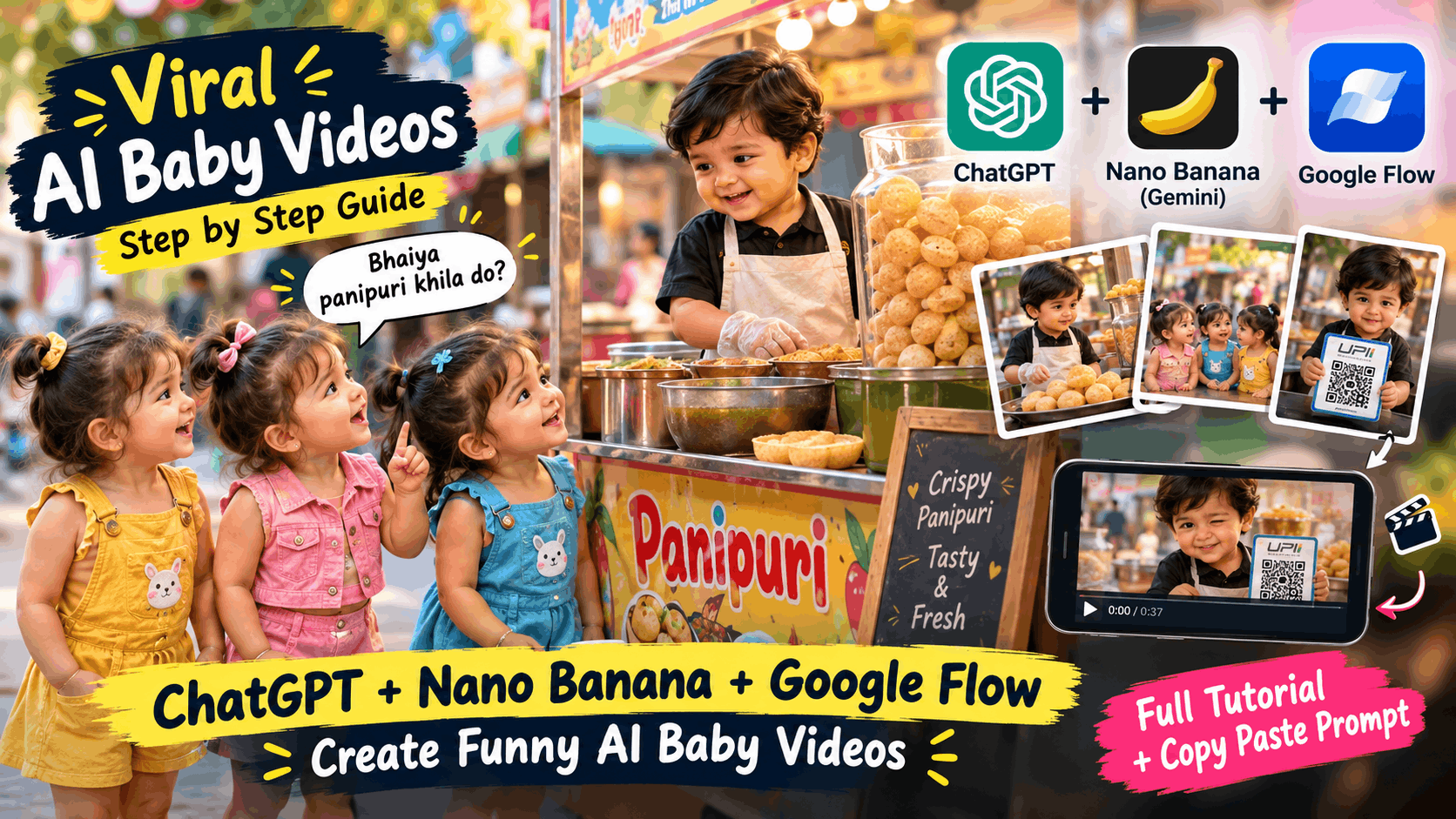
Open Instagram Reels or YouTube Shorts and you will probably run into them: tiny toddlers running a panipuri cart, bargaining like grown-ups, or outsmarting each other with a clever joke. Pages like Little Lafda have shown how much people love this style. The babies look cute, the dialogue is funny, and the whole story fits in about 35 seconds.
You don’t need a camera, actors or editing skills. In this guide you will use three tools:
- ChatGPT to write the story, scenes, dialogues and prompts
- Nano Banana (Google’s image model inside Gemini) to create the images
- Google Flow to turn those images into moving video clips
You will also get one complete copy-paste prompt for a 13-scene example.
Why Do Funny Baby Videos Work So Well?
- Cute faces get attention. People stop scrolling when a toddler acts like an adult.
- Everyone relates. Bargaining at a street stall is something most of us have seen or done.
- The story is short. Setup, problem, twist.
- The punchline makes people replay and share.
One note: take inspiration from the format, not from another creator’s exact story or characters. Make your own characters, jokes and channel identity.
The Tools You Need
| Tool | What it does |
|---|---|
| ChatGPT | Writes the story, scene list, dialogues and prompts |
| Nano Banana (in Gemini) | Creates character and scene images |
| Google Flow | Animates images into video clips with sound |
| CapCut or YouTube Create | Joins clips, adds captions and music |
Free options and limits change often, so check the current plans inside each tool.
Step 1: Write the Story with ChatGPT
Start with an everyday situation like a street stall, school, wedding or shop. Then paste this prompt into ChatGPT.
ChatGPT Story Prompt
You are a viral short-video writer. Write a funny 35-second skit in Hinglish where cute 2-year-old babies act like adults.

Setting: [example: a panipuri cart on an Indian street]
Characters: 3 baby girls and 1 baby boy vendor

Give me:
1. A strong hook in the first 3 seconds
2. 12 to 13 short scenes with timestamps
3. For each scene: an English image prompt and a short Hinglish dialogue
4. A funny twist in the last scene
5. A title and 5 hashtags

Keep dialogues short and easy. Keep the humor clean and child-friendly.
Keep every dialogue to one or two short lines. AI voices sound more natural with short sentences.
Step 2: Create Your Characters in Nano Banana
If the baby’s face or dress changes in every scene, viewers notice at once. Fix it like this:
- Open Gemini and choose the Nano Banana image option.
- Create one clear image of each character against a plain background.
- Save these as your reference images.
- For every scene, upload the reference and write: “Keep the same baby, same face and same outfit. Create this new scene: …”
- Describe the outfit the same way every time, like “pink denim vest and shorts”.
Always mention vertical 9:16 so the image fits Reels and Shorts.
Step 3: The Complete Scene-by-Scene Prompt
Here is the full panipuri cart example in one box. Copy it with one tap and use it in ChatGPT, Nano Banana and Flow.
Complete Prompt (13 Scenes)
Create a funny 37-second vertical 9:16 Hinglish skit with cute 2-year-old Indian babies acting like adults at a panipuri cart. Keep the same characters, faces and outfits in every scene. Hyper-realistic, cinematic lighting. Keep humor clean and child-friendly.

CHARACTERS:
- Pink Girl: 2-year-old Indian baby girl in a pink denim vest and shorts
- Blue Girl: baby girl friend in a blue outfit
- Yellow Girl: baby girl friend in a yellow outfit
- Boy Vendor: 2-year-old baby boy wearing an apron and plastic gloves

SCENE 1 (0:00 - 0:02)
Prompt: A cute 2-year-old Indian baby girl in a pink denim vest and shorts, flanked by two baby girl friends in blue and yellow outfits, standing on a street and asking the street vendor excitedly. Hyper-realistic, cinematic lighting.
Dialogue (Pink Girl): "Bhaiya panipuri khila do?"

SCENE 2 (0:03 - 0:04)
Prompt: A cute 2-year-old baby boy vendor wearing an apron and plastic gloves behind a panipuri cart, speaking politely to customers. Street food background, shallow depth of field.
Dialogue (Boy): "50 rupaye plate hai madam."

SCENE 3 (0:05 - 0:08)
Prompt: Close-up of the baby girl in pink crossing her arms with a confident, cheeky pout, bargaining. Cinematic focus.
Dialogue (Pink Girl): "Oye bhaiya! Hum to 20 rupaye mein khate hain."

SCENE 4 (0:09 - 0:10)
Prompt: Baby boy vendor smiling and nodding approvingly with one hand raised, standing behind earthenware bowls of flavored water.
Dialogue (Boy): "Chalo theek hai madam, aapke liye 20 rupaye laga dunga."

SCENE 5 (0:11 - 0:12)
Prompt: Wide shot of three cute baby girls happily munching on crispy panipuris in front of the cart while the boy prepares more.
Dialogue: None (natural crunching and street sounds).

SCENE 6 (0:13 - 0:14)
Prompt: Close-up of the cute baby girl in blue dress holding an empty leaf bowl, smiling up at the vendor.
Dialogue (Blue Girl): "Kitne ho gaye bhaiya?"

SCENE 7 (0:15 - 0:17)
Prompt: Baby boy standing behind the counter, explaining the bill with both hands gesturing.
Dialogue (Boy): "Teeno ke mila ke 60 rupaye ho gaye."

SCENE 8 (0:17 - 0:18)
Prompt: Pink dress baby girl holding a currency note, smiling and offering it forward.
Dialogue (Pink Girl): "Theek hai main de deti hoon."

SCENE 9 (0:19 - 0:23)
Prompt: Baby vendor holding up his hand to stop her, smiling cheekily and setting a clever rule.
Dialogue (Boy): "Ruko ruko! Humare yahan ka ek strict rule hai... bill sirf sabse khoobsurat ladki hi bharti hai."

SCENE 10 (0:24 - 0:27)
Prompt: Three baby girls turning to each other and arguing enthusiastically about who is the prettiest, pointing to themselves.
Dialogue (Pink Girl): "Main sabse khoobsurat hoon, main doongi!"
Dialogue (Yellow/Blue Girl): "Nahi, main doongi paise!"

SCENE 11 (0:28 - 0:31)
Prompt: Baby vendor cunningly holding up a UPI QR-code scanner stand towards the girls with a smart smile.
Dialogue (Boy): "Arre madam ruko, ek kaam karo... tum teeno hi 60-60 rupaye alag se scan kar do."

SCENE 12 (0:32 - 0:33)
Prompt: Three baby girls standing side by side, each holding a smartphone scanning the QR code happily.
Dialogue: None (add a cheerful "payment done" sound effect).

SCENE 13 (0:34 - 0:37)
Prompt: Extreme close-up of the baby boy vendor holding the QR stand, winking playfully at the camera with a naughty grin.
Dialogue (Boy): "Bewakoof ladkiyan... hmm... 60 rupaye ki jagah 180 rupaye de gayi!"

VOICE: cute, high-pitched toddler voices, consistent for each character. Add background street sounds and soft music.
Step 4: Turn Images into Video with Google Flow
- Open Google Flow and start a new project.
- Upload your Nano Banana image as the starting frame.
- Write a short motion prompt with the dialogue, for example: “The baby boy vendor smiles and says in a sweet voice: ’50 rupaye plate hai madam.’ Slight camera push-in, street sounds in the background.”
- Generate the clip and check the lips, face and outfit. Regenerate if needed.
- Repeat for every scene.
Tips: put the exact dialogue in quotation marks, use the same voice description every time, and trim clips later since Flow clips are often longer than a scene needs. Features and credit limits can change, so check the options inside Flow.
Copy Prompt: 2D Animation Video with AI for Free Master Prompt
Step 5: Edit the Final Video
- Place clips in scene order and trim each to its timestamp.
- Add big, readable captions. Many people watch without sound.
- Add soft music and small sound effects like a crunch or a “ting”.
- Keep the total length under 40 seconds.
- Export in vertical 9:16.
Step 6: Posting and Growth Tips
- Hook first. Show the funniest or cutest moment in the opening 2 seconds.
- Keep titles simple, like “Baby Panipuri Wala vs 3 Girls 😂”.
- Post consistently, three to five videos a week.
- Build a series with the same babies at a chai stall, school or wedding.
- Label AI content. Instagram and YouTube ask you to disclose realistic AI-generated content.
- Keep it respectful. Don’t use real children’s photos or faces, and keep jokes clean. Content involving kids is watched closely.
- Add your own idea. Your own jokes and twists are what make people follow you.
Final Thoughts
Funny AI baby videos work because they mix cuteness with a clever punchline. With a simple story, consistent characters and a little patience in editing, anyone can make a Reel people watch twice. Start with one small idea, test it, and improve from there.
Frequently Asked Questions
Do I need to know video editing?
No. If you can trim clips and add captions in a basic app, you can do this.
How do I keep the same baby in every scene?
Make one reference image per character, upload it with every scene prompt, and reuse the same outfit description.
How long should the video be?
About 30 to 40 seconds works well for a short skit.
Can I copy another page’s story?
It’s better not to. Use the format as inspiration, but write your own story, characters and jokes.
Is it free?
Limits depend on your plan and region, so check the current options inside each tool.