Some numbers deserve a moment of silence before you read past them.
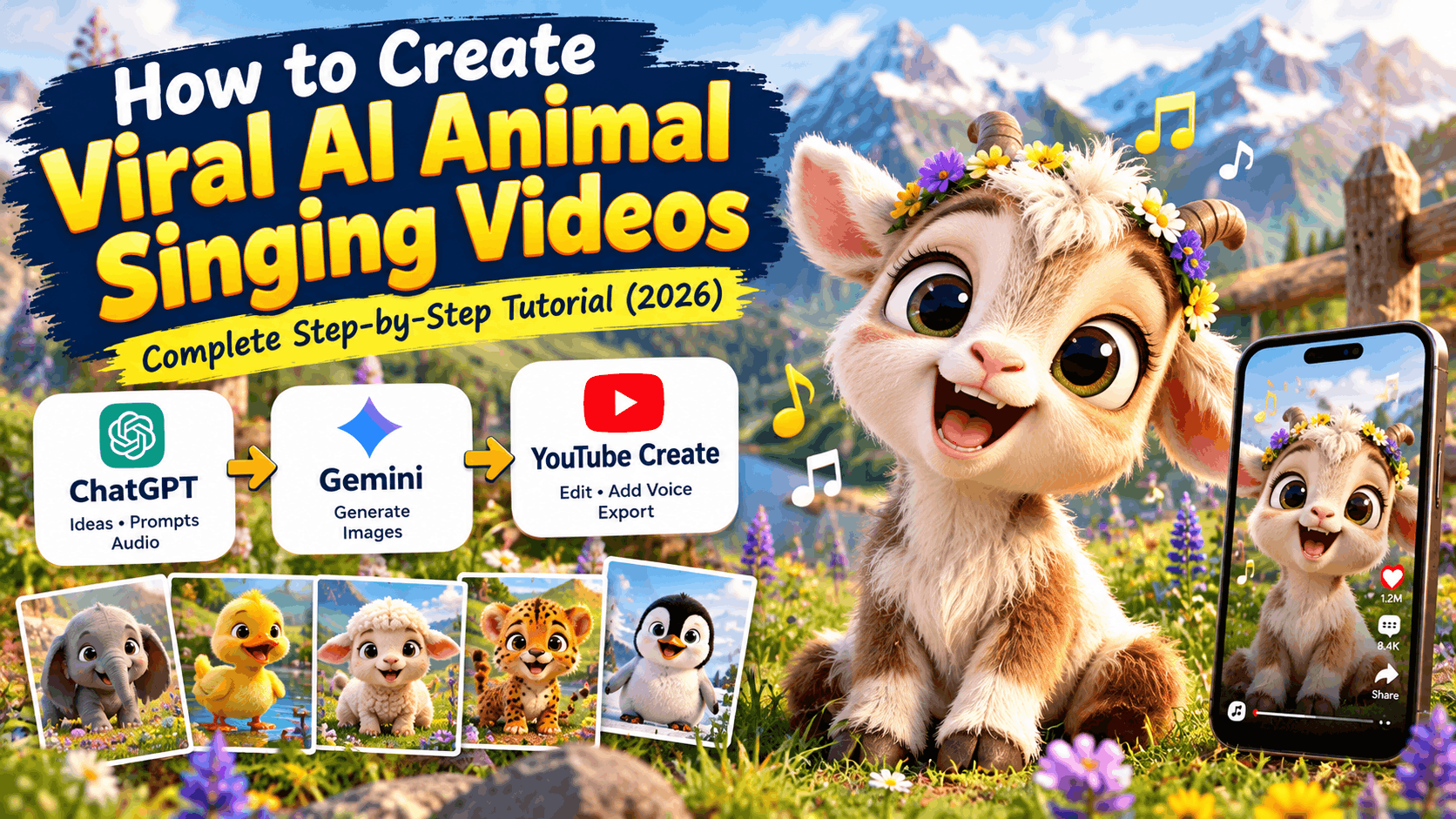
50.1 million views. On a single Instagram Reel. Featuring a baby goat.
Not a celebrity. Not a news event. Not a challenge that swept the internet. Just a tiny, fluffy, impossibly adorable baby goat sitting in a mountain meadow surrounded by purple wildflowers — babbling and singing in cheerful toddler-like gibberish, blinking its enormous hazel eyes, nodding its little head, its tiny mouth moving in perfect rhythm with the sound.
The account is @groovewithtoons. Scroll their Reels page and the numbers refuse to come down: 10.2 million views on a baby elephant. 9.7 million on a baby duck. More baby animals — a fluffy sheep, a baby cheetah, a duckling — each racking up millions of views with the same magical formula.
What IS this formula? A 3D Pixar-style animated baby animal, sitting in a beautiful natural setting, singing or babbling in cheerful sounds, with perfect lip sync and lively micro-expressions. That’s it. No plot. No dialogue. No conflict or resolution. Just a tiny, perfect creature, alive with personality, singing its little heart out in a world of soft sunlight and wildflowers.
And in 2026, with Claude or ChatGPT for creative ideation and Flow AI’s Veo 3.1 model for video animation, you can build your own version of this channel from scratch — your own baby animals, your own musical settings, your own growing audience of millions.
This is the complete tutorial.
Why AI Animal Singing Videos Are Hitting 50 Million Views
Understanding the engine behind these numbers is what separates creators who try this format once and give up from creators who build it into a thriving channel. So let’s dig into the real reasons this works.
Baby animals trigger the strongest possible version of the cuteness response. Human beings respond to “cute” stimuli — large eyes, round faces, soft features, small bodies — with an involuntary neurological reaction. Baby animals hit these triggers even more intensely than adult animals or even human babies in some cases, because they combine the cuteness cues with an element of wild, natural innocence. A baby goat with enormous hazel eyes and tiny budding horns, sitting in a meadow of wildflowers, is essentially a perfection machine for the human visual system.
The singing/babbling adds the dimension of personality. A still image of a cute baby goat is lovely. A video of that same baby goat apparently singing cheerful gibberish — head nodding, eyes blinking expressively, mouth moving in rhythm — transforms it from a cute animal into a character. The moment an animal has personality, has what feels like joy and intention and a song it wants to share, viewers form an emotional connection that images and silent videos cannot create.
The gibberish / baby babble audio is specifically brilliant. Notice that the @groovewithtoons audio isn’t actual animal sounds — it’s toddler-style babble. “Ta-ta tu-tu, ti-ti-ti-ti teh.” This sound sits in a universally appealing emotional space. It’s innocent. It’s musical. It sounds like pure, uncomplicated happiness. Every human brain, regardless of language or culture, responds warmly to the sound of a young creature expressing contentment through song. This is why the format crosses every language barrier and performs globally.
The visual environment is perfectly calibrated for emotional warmth. Alpine mountains. Purple lupines. Golden wildflower meadows. Snow-dusted peaks under soft warm sunlight. Weathered wooden fences. Shallow depth of field that makes the foreground animal pop against a dreamy background. These are not random choices — they are a deliberate visual recipe for maximum emotional warmth. The setting communicates “safe, beautiful, peaceful” to the viewer’s nervous system before a single second of the video has played.
The format is infinitely reproducible with fresh emotional impact. A baby goat singing is magic. A baby elephant singing is different magic. A baby duck, a baby lamb, a baby cheetah, a baby penguin — each animal brings its own unique cuteness profile, its own visual texture, its own emotional register. The format never gets old because the animal changes. And every new animal is a new video that feels fresh even to viewers who have seen the previous ones.
The share impulse is deeply instinctive. When someone watches a baby goat cheerfully babbling in a wildflower meadow, they do not think “should I share this?” They reach for their phone and share it before they’ve consciously decided to. That automatic, pre-deliberate sharing behavior is what takes a good video to 50 million views. The @groovewithtoons content is engineered — whether consciously or instinctively — to trigger exactly this response.
What You Need for This Workflow
The entire production process uses two tools:
- Creative Ideation, Prompt Engineering & Audio Design — Claude or ChatGPT
- Video Animation & Generation — Flow AI (Veo 3.1 model)
No 3D animation software. No voiceover studio. No motion capture. No expensive equipment. Just a computer, internet access, and the right creative direction — which this tutorial provides in full.
Step 1: Creative Ideation & Prompt Engineering (Claude or ChatGPT)
The @groovewithtoons baby goat video that hit 50 million views was not generated from a vague prompt. It was built from a remarkably specific, detailed creative brief — every visual element chosen deliberately, every audio moment mapped precisely.
Claude or ChatGPT are your partners for building this creative brief from scratch. Here’s how to use them most effectively:
A — Choosing Your Animal
The animal you choose determines your entire visual world and emotional register. Ask Claude or ChatGPT to help you select the animal with the highest emotional appeal for your next video:
“I’m creating a Pixar-style 3D animated baby animal singing video for Instagram Reels. The @groovewithtoons format. I want to choose an animal that has strong viral potential — maximum cuteness, interesting visual texture for 3D rendering, and a distinctive personality that works well in a singing/babbling format. Suggest 10 baby animals with the specific cuteness qualities of each, the ideal natural setting for each, and the estimated viral potential. Then recommend which 3 I should start with for maximum channel growth.”
High-performing animals in this format:
- Baby Goat — The 50.1M view champion. Fluffy white fur, enormous eyes, tiny horns, perfect mountain meadow setting
- Baby Elephant — Wrinkled skin texture, oversized ears, gentle trunk movements, savanna/jungle setting (10.2M views)
- Baby Duck — Round white body, orange beak perfect for lip-sync, pond/stream setting (9.7M views)
- Baby Lamb — Ultra-fluffy white wool, peaceful meadow setting, maximum softness
- Baby Cheetah — Spotted texture, fierce-but-tiny contrast, golden grass setting
- Baby Penguin — Tuxedo pattern, waddling charm, snowy/rocky coastal setting
- Baby Hedgehog — Tiny spines, button nose, forest floor setting
- Baby Fox — Orange fur contrast, forest autumn setting, alert expressive face
- Baby Koala — Grey fur, enormous ears, eucalyptus tree setting
- Baby Panda — Black and white contrast, bamboo forest, universal recognition
- Baby Bunny — Long ears, twitching nose, garden/meadow setting
- Baby Deer (Fawn) — White spots, forest clearing, magical golden light setting
- Baby Otter — Playful personality, water/river setting, constantly in motion
B — Designing the Visual Scene
After selecting your animal, ask Claude or ChatGPT to develop the complete visual scene:
“I want to create a 3D Pixar-style animated video of a [ANIMAL] singing happily in a natural setting. Design the complete visual scene including: the exact setting and environment with specific natural details, the lighting style and time of day, the specific flowers/plants/landscape elements to include, the animal’s exact physical description with visual details specific to 3D animation, the camera angle and depth of field, and any background elements that create emotional warmth. Write this as a detailed visual brief for an AI video generator.”
C — Designing the Audio / Babble Sequence
The audio in @groovewithtoons videos is one of their most genius creative decisions. The toddler-style babble sounds like a real song — it has rhythm, melody, repetition — but uses no actual words, which means it works in every country and every language simultaneously. Ask Claude or ChatGPT to write your audio sequence:
“Write a 15-second audio/babble transcript for a baby [ANIMAL] singing video. The style should be similar to happy toddler gibberish — rhythmic, musical, innocent, and cheerful. It should have internal repetition (recurring syllable patterns), a clear rhythm, and sound like a simple song. Use syllables like ta, tu, ti, te, da, du, no, to, la, li — light, open vowel sounds that work naturally with an animal’s mouth movements. Format it as a transcript with timestamps every 3-4 seconds.”
D — Generating the Flow AI Prompt
After your scene design and audio transcript are ready, ask Claude or ChatGPT to combine everything into a single, complete Flow AI generation prompt:
“Take the visual scene brief and the audio transcript I’ve developed and combine them into a single, complete, highly detailed text-to-video prompt for Flow AI’s Veo 3.1 model. The prompt should include: the complete visual description of the animal character, the complete environment description, the specific camera and lighting settings, the audio description, the animation style (Pixar-quality, 8K, etc.), the specific facial animation requirements (lip sync, blinking, micro-expressions), and the 9:16 vertical format spec. Make it precise enough that the AI generates exactly the scene we designed.”
The Complete Baby Goat Prompt — The Exact Formula Behind 50 Million Views
This is the complete, production-ready prompt that generates the @groovewithtoons style baby goat singing video. Use this as your template and customize for your own animals and settings:
IMAGE/VIDEO GENERATION PROMPT
Vertical 9:16, 3D Pixar-style animation of an adorable, ultra-fluffy
baby goat sitting calmly on a dirt path in an alpine mountain valley.

The baby goat has big, soulful hazel eyes with long eyelashes, tiny
budding horns, and expressive facial animations. It babbles and sings
cheerfully, with precise mouth lip-sync movements, nodding its head,
and blinking with lively micro-expressions.

Surrounding it are blooming purple lupines and yellow wildflowers,
lush green grass, a weathered wooden fence, and majestic snow-dusted
mountains under soft, warm cinematic sunlight in the distant background.

Shallow depth of field, 8K resolution, photorealistic fur rendering,
vibrant colors, gentle breeze rustling the meadow grass.
AUDIO / DIALOGUE TRANSCRIPT
(Rhythmic toddler singing / cheerful baby babble)

00:00 – 00:03:
"Ta-ta tu-tu, ti-ti-ti-ti teh~"

00:03 – 00:06:
"Ta-ta tu-tu, ti-ti-ti-ti teh~"

00:06 – 00:11:
"Ta, ta, ta... ta, ta, ta... ta, ta, ta, ta..."

00:11 – 00:15:
"No-no-no-no, to-ta ta-ta, ti-ti-ti-ti teh~~"
Every element of this prompt is intentional. Let me break down exactly why:
“Ultra-fluffy baby goat” — The word “ultra-fluffy” tells the AI to maximize the soft, textured fur quality that makes 3D baby animals look so irresistibly touchable.
“Big, soulful hazel eyes with long eyelashes” — Eye specification is the most critical detail in any cute character. “Soulful hazel” and “long eyelashes” tell the AI to render eyes that communicate genuine warmth and expressiveness.
“Tiny budding horns” — This detail adds character specificity. The word “budding” emphasizes smallness and youth — the horns are just starting to grow, which emphasizes the baby quality.
“Precise mouth lip-sync movements” — This instruction specifically tells the AI to synchronize the mouth movements to the audio timing. Without this, the mouth might move randomly or not at all.
“Lively micro-expressions” — Micro-expressions are the tiny facial movements (a twitch of the nose, a slight squinting during a high note, an ear flick) that make animated characters feel alive rather than like moving statues.
“Purple lupines and yellow wildflowers” — The color combination of purple and yellow is one of the most visually vibrant complementary color pairings. These specific flowers create an alpine setting that viewers immediately associate with “pure nature.”
“Weathered wooden fence” — This one small detail adds depth and story to the setting. It says “this animal has a home, a farm, a life” without any plot.
“Snow-dusted mountains” — Distant mountains add scale, grandeur, and context. The “snow-dusted” qualifier makes them dramatic without being threatening.
“Shallow depth of field” — This cinematography instruction tells the AI to blur the background and keep the animal in sharp focus — the exact visual technique professional photographers use to make subjects pop.
“Photorealistic fur rendering” — The most technically demanding instruction. This tells the AI to render individual fur strands with realistic light interaction rather than smooth cartoon surfaces.
The babble transcript structure — Notice the pattern: the same phrase repeats twice (00:00-00:06), then shifts to a simpler repeating element (00:06-00:11), then returns with a variation and emphasis (00:11-00:15). This is basic song structure — verse, bridge, chorus variation — applied to toddler gibberish. It gives the babble a musical quality even though no real words are used.
Prompt Templates for 10 Different Baby Animals
Use these as your starting point for each new video in your series. Each is customized to the specific visual qualities of that animal:
🐘 Baby Elephant
Vertical 9:16, 3D Pixar-style animation of an adorable baby elephant
standing in golden savanna grass at warm golden hour. The baby elephant
has enormous round eyes with long lashes, oversized floppy ears that
wiggle, and a tiny trunk that moves expressively. It babbles and hums
cheerfully with precise lip-sync and head bobbing. Background: acacia
trees, tall amber grass, warm African sunset sky in shades of orange
and pink. Shallow depth of field, 8K, photorealistic skin texture
with natural wrinkle detail, dust particles floating in golden light.
🦆 Baby Duck
Vertical 9:16, 3D Pixar-style animation of an adorably round white
baby duck standing at the edge of a calm woodland stream, surrounded
by tall green reeds and small yellow pond flowers. The baby duck has
bright orange beak with perfect lip-sync, round black eyes with light
reflections, soft downy white feathers, and tiny orange feet. It sings
and babbles cheerfully, tilting its head side to side. Background:
gentle flowing stream, mossy stones, soft dappled forest light.
Shallow depth of field, 8K, photorealistic feather rendering,
warm morning light.
🐑 Baby Lamb
Vertical 9:16, 3D Pixar-style animation of an ultra-fluffy white baby
lamb sitting in a green English countryside meadow. The baby lamb has
enormous soft brown eyes, a tiny pink nose that twitches, and thick
curly white wool so fluffy it barely looks real. It babbles and sings
sweetly with precise mouth movements and ear wiggles. Background:
rolling green hills, old stone walls, scattered white daisies,
dramatic clouds parting to reveal warm sunlight. Shallow depth of
field, 8K, photorealistic wool fiber rendering, warm afternoon light.
🐆 Baby Cheetah
Vertical 9:16, 3D Pixar-style animation of an adorable baby cheetah
cub sitting in golden savanna grass, its spotted coat glowing in
warm afternoon light. The baby cheetah has enormous round amber eyes
with distinctive black tear marks, soft spotted fur with perfect
rendering detail, and a tiny pink nose. It babbles and chirps
cheerfully with precise facial lip-sync and head tilts. Background:
golden grass swaying in breeze, distant Acacia silhouettes,
dramatic sunset sky. Shallow depth of field, 8K, photorealistic
spotted fur rendering, warm golden hour lighting.
🐧 Baby Penguin
Vertical 9:16, 3D Pixar-style animation of an adorably round baby
penguin standing on a rocky Antarctic shore. The baby penguin is
covered in soft grey downy fluff (not yet adult black and white),
with enormous dark eyes, a tiny orange-tipped beak that moves in
perfect lip-sync, and tiny flippers that flap expressively. It
babbles and sings happily, wobbling slightly. Background: dramatic
dark blue ocean, ice formations, soft diffused overcast light with
occasional breaks of blue sky. Shallow depth of field, 8K,
photorealistic down feather rendering.
🦊 Baby Fox
Vertical 9:16, 3D Pixar-style animation of an adorable baby fox
sitting in an autumn forest clearing. The baby fox has vivid orange
fur with white chest marking, enormous amber eyes with expressive
pupils, large alert ears, and a bushy tail curled around its feet.
It babbles and sings curiously with precise lip-sync and ear
movements. Background: golden autumn leaves on the forest floor,
warm amber light filtering through orange and red maple canopy,
gentle leaf fall. Shallow depth of field, 8K, photorealistic fur
rendering with individual strand detail.
🐨 Baby Koala
Vertical 9:16, 3D Pixar-style animation of an adorable baby koala
clinging to a eucalyptus branch. The baby koala has soft grey fur,
enormous round dark eyes with curious expression, a large distinctive
nose, and rounded fluffy ears. It babbles and sings softly with
precise lip-sync and gentle head nodding. Background: eucalyptus
forest with dappled green light, blue-green leaves, warm Australian
afternoon atmosphere. Shallow depth of field, 8K, photorealistic
fur and fur texture rendering, warm filtered forest light.
🦌 Baby Deer (Fawn)
Vertical 9:16, 3D Pixar-style animation of a magical baby deer fawn
standing in a sun-dappled forest clearing. The fawn has distinctive
white spots on soft brown fur, impossibly large gentle dark eyes with
long lashes, delicate trembling ears, and spindly perfect little legs.
It babbles and hums softly with precise lip-sync and ear movements.
Background: ancient forest with shafts of golden morning light
breaking through the canopy, wildflowers at the forest edge, morning
mist in the distance. Shallow depth of field, 8K, photorealistic
deer coat and spots rendering, magical golden forest light.
🦔 Baby Hedgehog
Vertical 9:16, 3D Pixar-style animation of a tiny baby hedgehog
sitting among autumn leaves on a mossy forest floor. The baby
hedgehog has soft brown spines with cream tips, tiny round black
eyes that shine, a small pink button nose, and tiny perfect paws.
It babbles and sings cheerfully with precise mouth movements and
occasional sniffles. Background: mossy forest floor, fallen
golden leaves, mushrooms, soft autumn forest light, morning dew
on leaves. Shallow depth of field, 8K, photorealistic spine and
soft belly fur rendering.
🐼 Baby Panda
Vertical 9:16, 3D Pixar-style animation of an adorable baby giant
panda sitting in a green bamboo forest. The baby panda has bold black
and white markings, enormous dark eye patches, round chubby cheeks,
and a bamboo shoot held in both paws. It babbles and sings happily
with precise lip-sync and head wobbles. Background: dense green
bamboo, morning mist, soft diffused mountain light, bamboo leaves
rustling in gentle breeze. Shallow depth of field, 8K, photorealistic
fur rendering, soft morning forest atmosphere.
Step 2: Video Animation (Flow AI — Veo 3.1 Model)
With your prompt ready, Flow AI at flow.google.com is where your baby animal singing video comes to life. The Veo 3.1 model is specifically well-suited for this content type because of several capabilities that directly match what @groovewithtoons requires.
Why Flow AI Produces @groovewithtoons Quality Output
Fur and feather rendering at 8K equivalent quality. The ultra-fluffy baby goat fur that makes the original video so visually irresistible requires rendering individual strands of fur with realistic light interaction — the way light catches the tips of individual fur strands, the way fur compresses at bends, the layered depth of fluffy animal coats. Veo 3.1 handles this at a level that previous AI models couldn’t approach.
Facial micro-expression generation. The lip sync and micro-expressions in @groovewithtoons content — the slight squinting during a musical emphasis, the ear twitch between phrases, the blink that happens just before a head nod — require the model to generate coordinated, realistic facial animation. Veo 3.1’s character expression system produces these micro-movements naturally when they’re specified in the prompt.
Natural environment rendering. The alpine meadow setting — with its blurred background mountains, sharp foreground wildflowers, and soft cinematic lighting — requires environment rendering that creates the correct depth-of-field blur, the correct way sunlight interacts with grass and flower petals, and the correct atmospheric haze in the background. Veo 3.1’s natural environment rendering is exceptional at these effects.
Synchronized audio generation. Perhaps most critically for this format, Veo 3.1 can generate video with synchronized audio — meaning the babble/singing sound and the character’s lip movements can be generated in sync, rather than requiring you to add audio as a separate post-production step.
Complete Flow AI Workflow
Step 1: Open flow.google.com and navigate to the text-to-video generation tool
Step 2: Set output format to 9:16 vertical (this is non-negotiable for Instagram Reels)
Step 3: Paste your complete animal prompt into the generation field
Step 4: For the audio, either:
- Include the babble transcript in your prompt and let Flow AI generate synchronized audio
- Generate the video first, then add the audio in a separate step using an AI voice/audio tool
Step 5: Generate 3-4 variations. Evaluate each against these quality criteria:
- Is the fur rendering genuinely fluffy and detailed, not smooth or plastic-looking?
- Are the eyes large, expressive, and catching light correctly?
- Is the lip sync accurate to the babble rhythm?
- Is the background appropriately blurred with the animal in sharp focus?
- Are there natural micro-movements (ear twitches, breathing, blinks) present?
Step 6: Select the best variation and download for posting
Prompt Refinement Tips
If your first generation doesn’t hit the @groovewithtoons quality level, here are the most effective refinements:
For fur quality issues: Add “volumetric fur rendering with individual strand light interaction, visible fur depth and layering, ultra-detailed coat texture”
For eye expression issues: Add “Disney-Pixar eye rendering with internal light reflection, catchlight present in pupils, eyes 30% larger than realistic proportions for maximum emotional impact”
For lip sync issues: Add “frame-perfect audio-visual synchronization, mouth shape accurately matching each syllable, visible interior mouth detail during open vowel sounds”
For background blur issues: Add “professional cinema shallow depth of field, foreground animal in tack-sharp focus, background smoothly bokeh’d at f/1.4 equivalent aperture”
For micro-expression issues: Add “natural autonomous character animations including random blinks at 8-12 second intervals, subtle breathing visible in chest and nostrils, ear movements independent of main actions”
MASTER PROMPT: AI Animal Singing Videos
Here is the complete, production-ready Master Prompt for Claude or ChatGPT — generating everything you need for one animal singing video from a single conversation:
ROLE: You are an expert AI video content strategist and prompt
engineer specializing in viral 3D Pixar-style baby animal singing
videos in the style of @groovewithtoons on Instagram. You understand
exactly what visual, audio, and emotional elements make this format
generate 10-50 million views per video.

TASK: Create a complete production package for one AI animal
singing video.

ANIMAL: [e.g., baby goat / baby elephant / baby duck / baby lamb /
baby fox / baby penguin / baby koala / baby deer / baby hedgehog /
baby panda / your choice]

ENVIRONMENT PREFERENCE: [e.g., mountain meadow / forest / savanna /
pond / snowy landscape / autumn forest / tropical / your choice]

MOOD: [e.g., cheerful and energetic / gentle and peaceful /
playful and mischievous / sweet and tender]

DELIVERABLES:

1. ANIMAL CHARACTER DESIGN:
   Complete visual description of the baby animal including:
   - Fur/feather texture and color description
   - Eye design specification (size, color, lash detail,
     light reflection)
   - Distinctive physical features (nose, ears, tail, etc.)
   - Body proportions (how stylized vs. realistic)
   - Specific Pixar-quality animation characteristics

2. ENVIRONMENT DESIGN:
   Complete visual scene including:
   - Primary landscape and setting description
   - Specific flora (flowers, grass, trees — with exact species)
   - Lighting (time of day, quality, direction, color temperature)
   - Background elements (mountains, water, sky, weather)
   - Atmospheric details (mist, breeze, light particles)
   - Depth of field and cinematic composition

3. AUDIO / BABBLE TRANSCRIPT:
   A 15-second rhythmic toddler-style babble transcript with:
   - Timestamps every 3-4 seconds
   - Syllable patterns designed for visual lip-sync
   - Internal repetition structure (song-like rhythm)
   - Emotional arc (playful → melodic → emphasis → resolution)
   - Only open vowel sounds (ta, tu, ti, te, la, li, no, to, da, du)

4. COMPLETE FLOW AI PROMPT:
   One unified, detailed text-to-video prompt combining:
   - Full animal character description
   - Complete environment description
   - Camera and depth of field specification
   - Animation quality keywords (8K, Pixar-style, etc.)
   - Fur/feather rendering specification
   - Facial animation and lip-sync instruction
   - Audio description integrated
   - 9:16 vertical format specification

5. 3 VARIATION CONCEPTS:
   Three alternative versions of the same animal in different
   settings/moods — for a mini content series of 3 videos
   featuring the same character in new scenarios.

6. CONTENT SERIES PLAN (10 videos):
   A 10-video series featuring different baby animals, each
   with: animal name, setting, key visual details, babble
   mood, and thumbnail concept.

7. INSTAGRAM METADATA:
   - 3 caption options (10-20 words, pure emotion,
     zero explanation needed)
   - 15 hashtags (animal + cute + video content mix)
   - Thumbnail frame description (which exact moment, why)
   - Best posting time recommendation

OUTPUT: Organized by sections 1-7, clearly labeled.
Building the @groovewithtoons Model Channel
The @groovewithtoons success pattern is one of the clearest content channel models on Instagram. Understanding it helps you replicate it systematically:
The Core Pattern
One format, infinite animals. Every video uses exactly the same creative formula — Pixar-style baby animal, natural setting, cheerful babble with lip sync, shallow depth of field. The format never changes. The animal always does. This consistency is what builds brand recognition (viewers immediately recognize your content style) while the variety is what keeps each video feeling fresh.
The visual signature. @groovewithtoons has a specific color temperature — warm, golden, slightly desaturated in a cinematic way. The backgrounds are always soft and blurred. The animals are always centered and close. Whether it’s an elephant or a duck, the visual signature is immediate. Your channel needs the same — pick a color temperature and visual style and maintain it across every video.
Character-first storytelling. There is no plot in these videos. No conflict, no resolution, no arc. Just a character, alive and expressive, doing one simple thing — singing. The entire emotional experience is delivered through the character’s face and the sound of its voice. This is incredibly difficult to achieve at high quality and incredibly simple as a concept. The execution is everything.
Short duration, maximum impact. The @groovewithtoons videos are typically 15-30 seconds. This is not accidental. In 15 seconds, a viewer can watch the video to the end, immediately replay it, and then share it — all within 45 seconds. The algorithm sees high completion rate and high replay rate simultaneously, which triggers maximum distribution.
Maintaining Character Consistency Across Videos
If you create a specific baby goat character that performs well, viewers will want to see MORE of that specific baby goat — not a different goat in the next video. Use Flow AI’s image reference feature to maintain visual consistency:
- Save the best frame of your highest-performing character as a reference image
- Include that reference image when generating subsequent videos featuring the same character
- Create a detailed character description block that you paste into every prompt involving that character
This is what turns individual viral videos into a loyal following — viewers who come back specifically to see your baby goat, your baby elephant, characters they recognize and love.
The Audio Design Deep Dive
The babble/singing audio is arguably the most important single creative decision in this format. Here is everything you need to know to design perfect AI animal singing audio:
Why Babble Works Better Than Real Animal Sounds
Real animal sounds — a goat’s “meh,” a duck’s quack, a lamb’s bleat — are authentic but limiting. They’re short, repetitive, and don’t have the musical quality that makes @groovewithtoons videos so emotionally engaging. The toddler-style babble creates a musical performance from an animal character without requiring any real animal behavior that would be difficult to animate convincingly.
The Phonetics of Perfect Babble
The best AI animal babble uses specific types of sounds:
Open vowels (a, e, i, o, u): These sounds create visible, dramatic mouth movements that are easy to animate and easy to read as lip-sync. “Ta” is more visually expressive than “sh” or “th.”
Labial consonants (b, m, p): Sounds that require lip closure create clear, distinct mouth movement beats that read well in animation.
Liquid consonants (l, r): These smooth the flow between harder sounds and give the babble a musical, singing quality.
Avoid: Heavy consonant clusters, fricatives (sh, zh, th), and nasals alone without vowels. These don’t create visually readable mouth movements and sound less musical.
The Song Structure Template
Every @groovewithtoons babble sequence follows basic song structure:
Section A (0-6 sec): Introduce the main phrase, repeat it twice
"Ta-ta tu-tu, ti-ti-ti-ti teh~"  [×2]

Section B (6-11 sec): Simpler, more repetitive section
"Ta, ta, ta... ta, ta, ta..."    [building]

Section C (11-15 sec): Return with variation and emphasis
"No-no-no-no, to-ta ta-ta, ti-ti-ti-ti teh~~" [resolution]
This A-B-C structure gives the babble a beginning, middle, and end — which is why it feels satisfying to listen to rather than just random noise.
Audio Length Recommendation
15 seconds is the ideal length. Long enough to establish a complete musical phrase with variation. Short enough that viewers replay it immediately. At 15 seconds, the video loops perfectly for viewers who can’t stop watching.
Platform Strategy — Where and How to Post
Instagram Reels — This Is Home The @groovewithtoons model was built on Instagram Reels and it fits the platform perfectly. The algorithm strongly promotes content that generates immediate replays, saves, and profile visits — all three of which baby animal singing videos produce at high rates. Post at least 4-5 times per week. Consistency is what trains the algorithm and builds audience habit.
YouTube Shorts — Massive Discovery Potential YouTube’s Shorts algorithm is extremely aggressive about promoting novel, emotionally resonant content to new audiences. Baby animal singing videos are genuinely novel on YouTube Shorts compared to the saturation on Instagram. Cross-posting your Instagram Reels to YouTube Shorts is essentially free additional reach — often reaching a completely different demographic.
TikTok — The Speed of Sound TikTok’s For You Page distributes cute animal content faster and to broader new audiences than any other platform. The key for TikTok specifically: add a trending audio track as your base sound (turn down the original audio to about 70% and layer the trending sound underneath). This gives you the discovery benefits of a trending sound while preserving the original babble audio that makes the content work emotionally.
Pinterest — Evergreen Visual Discovery Pin still frames from your baby animal videos to Pinterest boards. “Cute baby animals,” “Pixar-style art,” and “AI art animals” are actively searched Pinterest categories with enormous traffic. A beautifully rendered baby goat in a wildflower meadow is exactly the kind of image that gets saved to Pinterest boards and continues driving traffic to your Instagram or YouTube for months.
Caption Strategy
The captions that perform best for this content are the ones that say the least and feel the most:
The Pure Emotion Caption: “I wasn’t ready for this 🥹” “My whole entire heart 🌸” “Crying at 2am over a baby goat 😭✨” “Nature said: here’s something good 🌿” “Nobody asked but my soul needed this 🕊️”
The Share Trigger Caption: “Tag someone who needs this today 🥹” “Send this to someone without explanation 💛” “The friend that needs to see this: @[tag] 🌸”
The Wonder Caption: “A baby goat singing in a mountain meadow was NOT on my bingo card and yet 🥺” “I will protect this baby goat with my entire life 🫶”
The Caption Rule: Never explain the video in the caption. Never say “made with AI” in the caption itself (put it in the description or bio). Never use more than 15 words. The video communicates everything — the caption only adds emotional punctuation.
YouTube SEO Strategy
Title Formula for YouTube Shorts: [Baby Animal] Singing [Setting] 🎵 | Cute [Animal] Video | Pixar AI Animation
Examples:
- “Baby Goat Singing in Mountain Meadow 🎵 | Cute Goat | Pixar AI Animation #shorts”
- “Baby Elephant Sings at Sunset 🌅 | Adorable Baby Elephant | AI Animal #shorts”
- “Baby Duck Singing by the Pond 🦆 | Cute Baby Duck | Pixar Style AI #shorts”
Tags for Maximum Discovery: cute baby animals, baby goat singing, Pixar style animation, AI animal video, cute animal singing, baby elephant cute, adorable baby animals, 3D animal animation, cute baby duck, AI art animals, groovewithtoons style, baby animal babble, Pixar animal, cute animals Instagram, viral animal video
Monetization — Building Revenue from Baby Animals
YouTube Partner Program + Shorts Monetization Once your channel crosses YouTube’s Partner Program threshold (500 subscribers, 3,000 watch hours, or 3M Shorts views), baby animal content earns through both Shorts monetization and standard AdSense. Animal and nature content channels report above-average CPM rates because of brand-safe advertiser appeal.
Instagram Creator Program Meta pays creators based on Reel performance once enrolled in the Creator Program. Channels consistently generating millions of views per animal video build substantial monthly Creator Program income.
Brand Partnerships Baby animal content attracts natural partner categories: pet food brands, wildlife conservation organizations, children’s apps, nature photography platforms, and family-friendly consumer brands. The audience for @groovewithtoons-style content is broad, family-safe, and demographically appealing to premium advertisers.
Plush and Character Merchandise A beloved baby goat or baby elephant character from an established channel is a marketable plush toy, sticker pack, or print. The visual quality of Pixar-style AI renders translates directly into merchandise-quality character art.
Compilation YouTube Videos The same baby animal clips that perform as 15-second Shorts can be compiled into 10-20 minute “Cute Baby Animals Singing Compilation” videos for the YouTube main feed. These longer compilation videos earn significantly more AdSense revenue per view than Shorts.
Common Mistakes to Avoid
Realistic proportions instead of stylized. The @groovewithtoons animals are Pixar-stylized — their eyes are bigger than realistic, their faces are rounder, their bodies are slightly simplified. If your prompt produces a photorealistic animal rather than a Pixar-style one, add “Pixar character design proportions, eyes 30% larger than anatomically accurate, face slightly simplified and rounded for maximum emotional appeal.”
Missing the shallow depth of field. The bokeh background — that smooth blur behind the sharp animal — is not just aesthetic. It directs 100% of viewer attention to the animal’s face and eliminates any background distraction. If your generated video has a sharp background, add “f/1.4 equivalent shallow depth of field, animal in tack-sharp focus, background smoothly blurred.”
Generic babble without rhythm. Random syllables don’t work. The babble needs internal rhythm, repetition, and a song structure. If your babble sounds random, ask Claude or ChatGPT to redesign it with explicit A-B-A or A-B-C structure and regular beat emphasis.
Posting without sound check. Before posting any baby animal singing video, watch it with headphones. The audio quality, the lip sync accuracy, and the emotional tone of the babble need to work together perfectly. If the sync is off by even half a second, re-generate rather than posting.
Inconsistent visual style across videos. The @groovewithtoons brand is immediately recognizable because every video has the same warm color temperature, the same soft background blur, the same Pixar-quality rendering. Every video you post should look like it belongs in the same series. Define your visual signature in your first video and maintain it across every subsequent generation.
Frequently Asked Questions
How long does it take to generate one baby animal singing video with Flow AI? A single 15-second video generation in Flow AI typically takes 2-5 minutes. Generating 3-4 variations to choose from takes 10-20 minutes. From start to posted Reel, the entire process for one video — including prompt development — takes 30-60 minutes for an experienced creator.
Do I need to create the audio separately or does Flow AI generate it? Veo 3.1 can generate synchronized audio with video when the audio is described in the prompt. However, for the specific babble/singing format, some creators prefer to generate the audio separately using an AI voice tool and sync it precisely. Both approaches work — the integrated approach is faster, the separate approach gives more control over the babble timing.
What makes the @groovewithtoons baby goat video hit 50M views and not others? Several factors aligned: the baby goat’s specific physical features (the hazel eyes, the tiny horns, the ultra-fluffy fur), the specific color and composition of the alpine meadow setting (purple + yellow flowers against green grass under warm light), and the babble rhythm that perfectly matched a natural head-bobbing tempo. The specific combination of these factors was irresistible. Replicating it requires hitting all three dimensions simultaneously.
Should I use real animal sounds or the babble format? The babble format is what @groovewithtoons uses and it’s what generates 50M views. Real animal sounds (goat bleating, duck quacking) are authentic but don’t have the musical, toddler-singing quality that makes the babble format so emotionally engaging. For maximum viral potential, use the babble format.
How many baby animal videos should I post before expecting viral traction? Most animal content channels see meaningful algorithmic traction after 15-25 consistent posts. The @groovewithtoons model worked because of consistent posting of the same format. Post at minimum 4 times per week, maintain visual consistency, and expect the algorithm to find your content’s natural audience around the 20-video mark.
Can I use the same baby goat across multiple videos or should each video have a new animal? Both strategies work. @groovewithtoons appears to use different animals for each video — each new animal brings fresh cuteness energy to a new audience. However, creating a recognizable recurring character (your specific baby goat in multiple episodes) can build stronger audience loyalty and follower attachment. Many successful channels do both — recurring favorite characters and occasional new animal introductions.
Conclusion
Fifty million views. Ten million. Nine point seven million. These are not accidents. They are the result of hitting every right button simultaneously — the right animal, the right visual environment, the right audio format, the right emotional triggers, the right platform at the right time.
The @groovewithtoons formula is now yours completely. Claude or ChatGPT gives you the creative architecture: the animal character design, the environment detail, the babble transcript, and the precise Flow AI prompts that turn your creative vision into executable generation instructions. Flow AI’s Veo 3.1 model gives you the Pixar-quality fur rendering, the soulful expressive eyes, the cinematic shallow depth of field, and the synchronized babble lip sync that makes viewers stop scrolling and never want to start again.
The baby goat prompt is in this article. The prompts for ten other animals are in this article. The Master Prompt is in this article.
Everything is ready.
Pick your animal. Choose your meadow. Write your babble. Generate your video.
And then watch what happens when the algorithm finds a baby fox singing in an autumn forest, or a baby penguin babbling on a rocky shore, or a baby koala humming in a eucalyptus tree — as rendered by the most powerful AI video generation technology ever built.
Your first 10 million views is sitting inside one of these prompts.
Go find it.